How to edit text in a scanned PDF — with local OCR
Updated 18 August 2026
A scanned PDF is a photograph of a page — there is no text to edit until the words are recognised. UnboundPDF runs OCR locally in your browser when you click scanned text, reports what it read, and lets you retype the recognised words. On save, the replaced pixels are erased from the scan and your correction is written as real, searchable text.
Edit text in a scanned PDF: local OCR in your browser recognises the words, you retype them, and the fix saves as real searchable text. No upload.
UnboundPDF is a free suite of 54 PDF and image tools that run entirely in your browser — merge, split, compress, edit text, OCR in 126 languages, redact, sign, convert and archive to PDF/A. Your document is read and written by the page on your own device; there is no document-upload endpoint in the core tools, no account, no watermark and no daily cap. Every result can be checked — with the Network tab, or with the Document Passport the Workspace writes for a chain of steps.
- Open the PDF Editor and drop your scanned PDF in.
- Click the text you want to change — OCR runs on your device, and the status line reports what was read.
- Check the recognised wording (the hint says to — OCR is a reading, not a certainty), then retype your correction.
- Save. The replaced pixels are erased from the scan and your text is written as real, searchable text.
What a scan actually is
A scanned page contains no letters — only pixels that look like letters. That is why “why can’t I select the text?” and scans go together, and why no editor can change scanned words directly. The text has to be recognised first, and the only question is where that recognition runs. Here, it runs on your device.
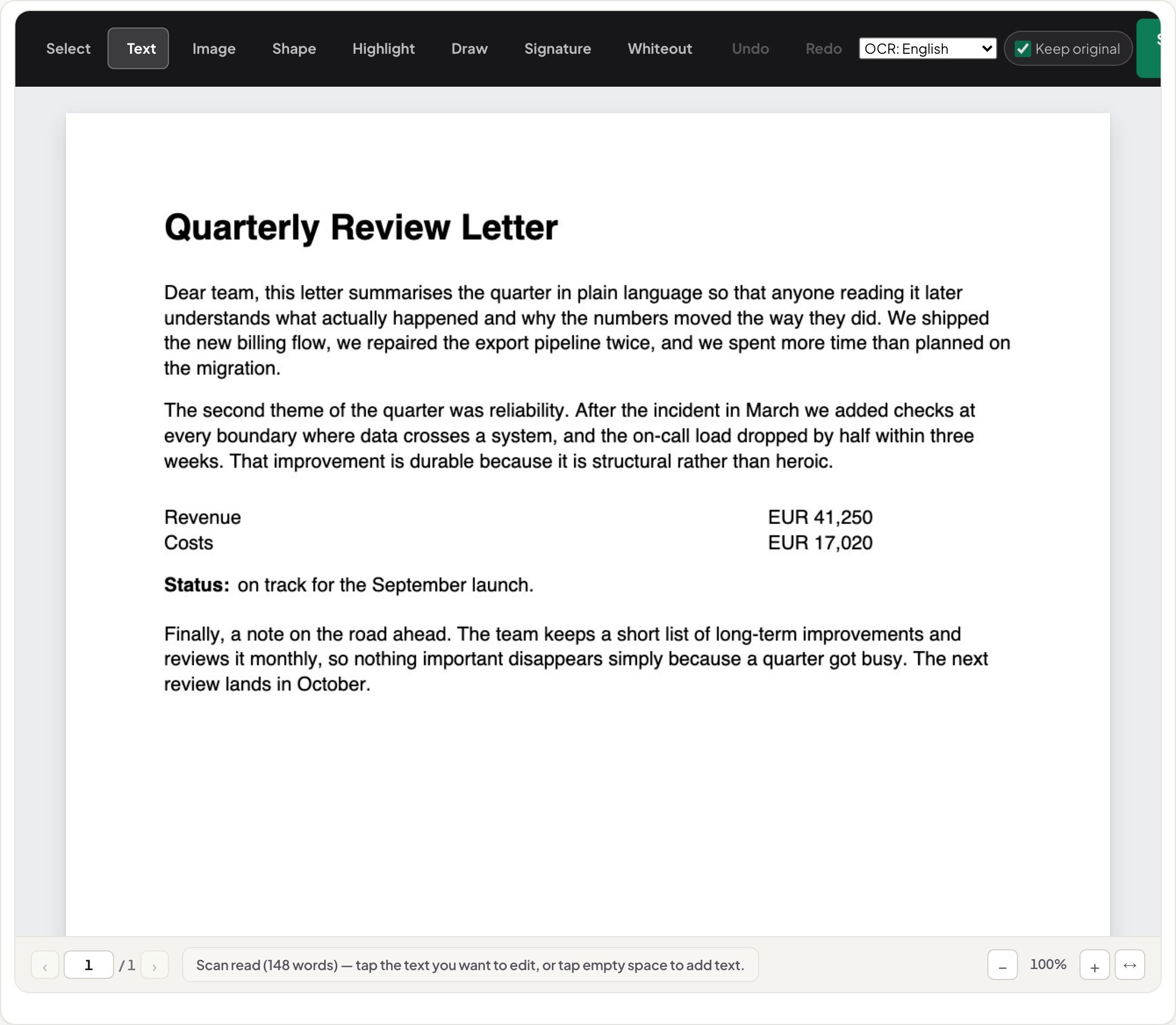
What happens when you click
The editor detects that the page is a scan and runs a locally-vendored Tesseract engine over it — seven languages, selected in the toolbar. The recognised words are placed into the same paragraph model real text uses, so editing feels identical: click, retype, done. The engine reports its reading in the status line so you can sanity-check it before trusting an edit to it.
What the save writes
Two things: the pixels of the words you replaced are erased from the scan image itself, and your correction is written as real text at the same position. The saved page therefore has a text layer where you edited — which also means the next edit of that region behaves like a born-digital document, and the corrected wording is searchable in any reader.
Scope
OCR quality follows scan quality: clean 200-dpi office scans read well; skewed or low-light phone photos read less well (the editor deskews its OCR input automatically). Handwriting is not recognised. Corrections are refilled with paper sampled from the same page and softened to the page's own edge width, so the edited line belongs to the scan rather than sitting on a white box. To make a whole document searchable, use OCR PDF; for every other reason a click might refuse, see the seven real reasons.
Frequently asked questions
Can I edit a scanned PDF without converting it to Word first?
Yes. Click the scanned text in UnboundPDF's editor: OCR runs locally, the recognised words open for editing, and the save writes your correction into the PDF itself. No conversion round-trip, no upload.
Does the OCR upload my scan?
No. The recognition engine is a local copy of Tesseract that runs inside your browser — the engine's code is downloaded once, your scan is not sent anywhere. You can watch the Network tab while it runs.
Why does my edited text look different from the rest of the scan?
The rest of the page is a photograph of printed letters; your edit is real digital text. UnboundPDF matches more than size and position: the erased area is refilled with paper copied from that same page rather than flat white, and the new letters are softened to the edge width measured on the page's own untouched glyphs. It still is not pixel-identical — per-pixel sensor grain is not reproduced, and this has not been tested on photos of pages taken with a phone — so a close look can still tell an edit from the print around it.