Preview can crop, our tool can crop — the real differences, credited fairly
Cropping a PDF in macOS Preview versus a browser tool: what Preview does well, where per-page control and hidden-content awareness differ, how to choose.
UnboundPDF is a free suite of 54 PDF and image tools that run entirely in your browser — merge, split, compress, edit text, OCR in 126 languages, redact, sign, convert and archive to PDF/A. Your document is read and written by the page on your own device; there is no document-upload endpoint in the core tools, no account, no watermark and no daily cap. Every result can be checked — with the Network tab, or with the Document Passport the Workspace writes for a chain of steps.

Quick start. On any machine: open Crop PDF, drag the box, apply to the pages you choose, download. On a Mac with the file already open in Preview, Preview's own crop is a fair shortcut for one page — the honest comparison follows.
What Preview does well
It is already open, it is fast, and for trimming one page's margins it is entirely adequate. Apple's tool deserves the credit: if that is your whole job on your own Mac, you do not need us for it.
Where the jobs diverge
Consistency and reach. Cropping a 60-page scan to one uniform text block wants a single box applied across pages with control over which — that is the browser tool's shape. And the browser tool is the same tool on the Windows machine at work, the Chromebook, the phone — cropping is rarely a Mac-only life. Files stay on the machine in both cases; neither uploads anything.
The trap both tools share
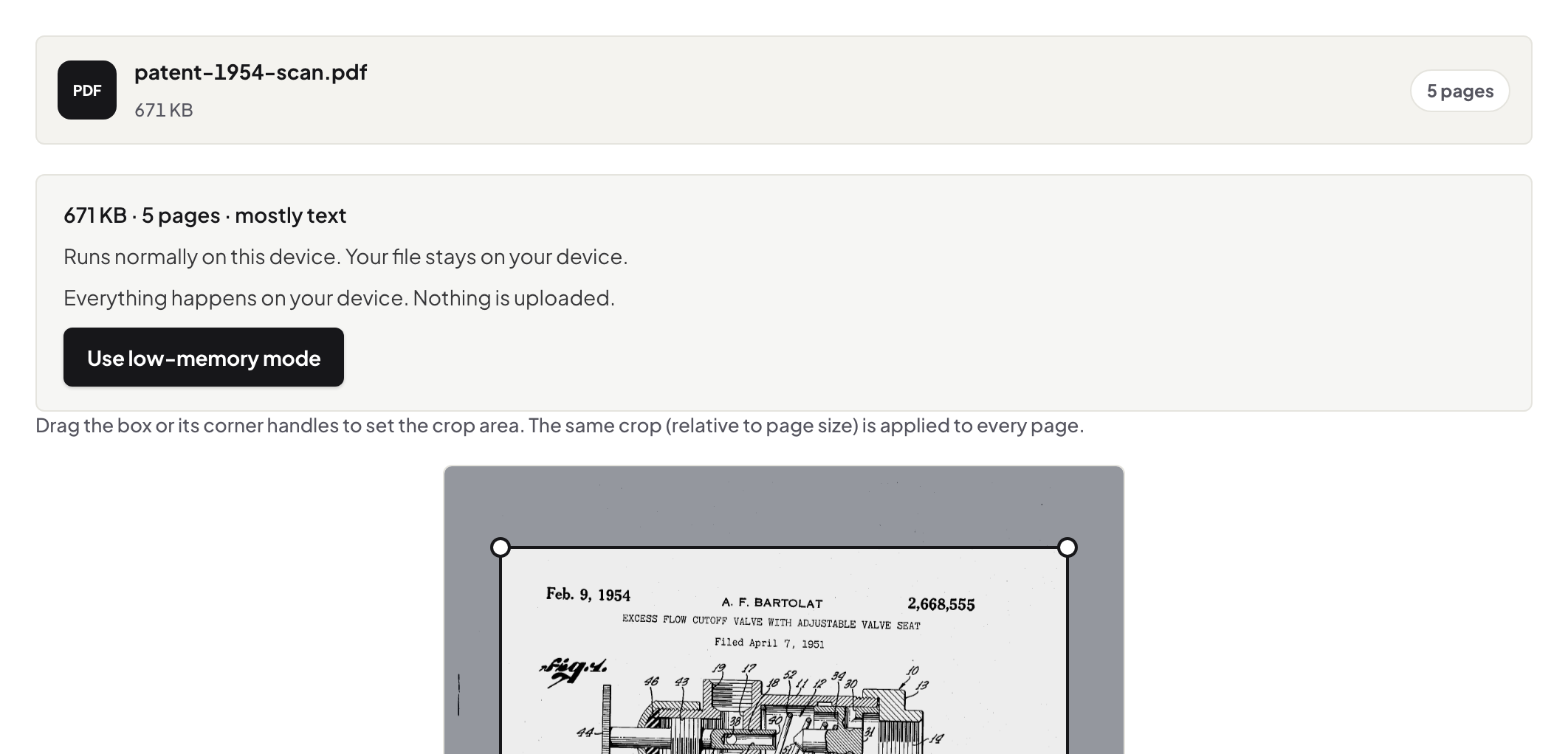
Cropping hides; it does not delete. In Preview and here alike, the content outside the crop box remains in the file and select-all can retrieve it — the demonstration. Our page says this out loud because the failure mode is silent: a "cropped-out" account number that travels with the file. Content that must be gone goes through Redact, on any platform.
Troubleshooting
The crop applied to every page but page one needed to stay. Re-crop with the range excluding it. Text near the edge got clipped. Loosen the box — zoom before you commit. I need the margin content genuinely removed for sharing. That is redaction plus a crop for looks, in that order.
Frequently asked questions
Is Preview's crop good?
Yes — for a quick one-page crop on a Mac it is right there and works. Credit where due.
So when the browser tool?
Whole-document crops with a consistent box, working on Windows/Chromebook/phone, and when you want the hidden-vs-removed distinction stated plainly.
Does either remove the cropped-away content?
No — both set the visible area; content outside it stays in the file. Removal is redaction's job.
Try it yourself
Free, private, no account. Runs entirely in your browser.