Remove pages from a PDF — same tool on laptop and phone, and what "deleted" means
Delete pages from a PDF in the browser on any device: see the pages, remove the ones you don't need, download. What deletion does and doesn't remove.
UnboundPDF is a free suite of 54 PDF and image tools that run entirely in your browser — merge, split, compress, edit text, OCR in 126 languages, redact, sign, convert and archive to PDF/A. Your document is read and written by the page on your own device; there is no document-upload endpoint in the core tools, no account, no watermark and no daily cap. Every result can be checked — with the Network tab, or with the Document Passport the Workspace writes for a chain of steps.

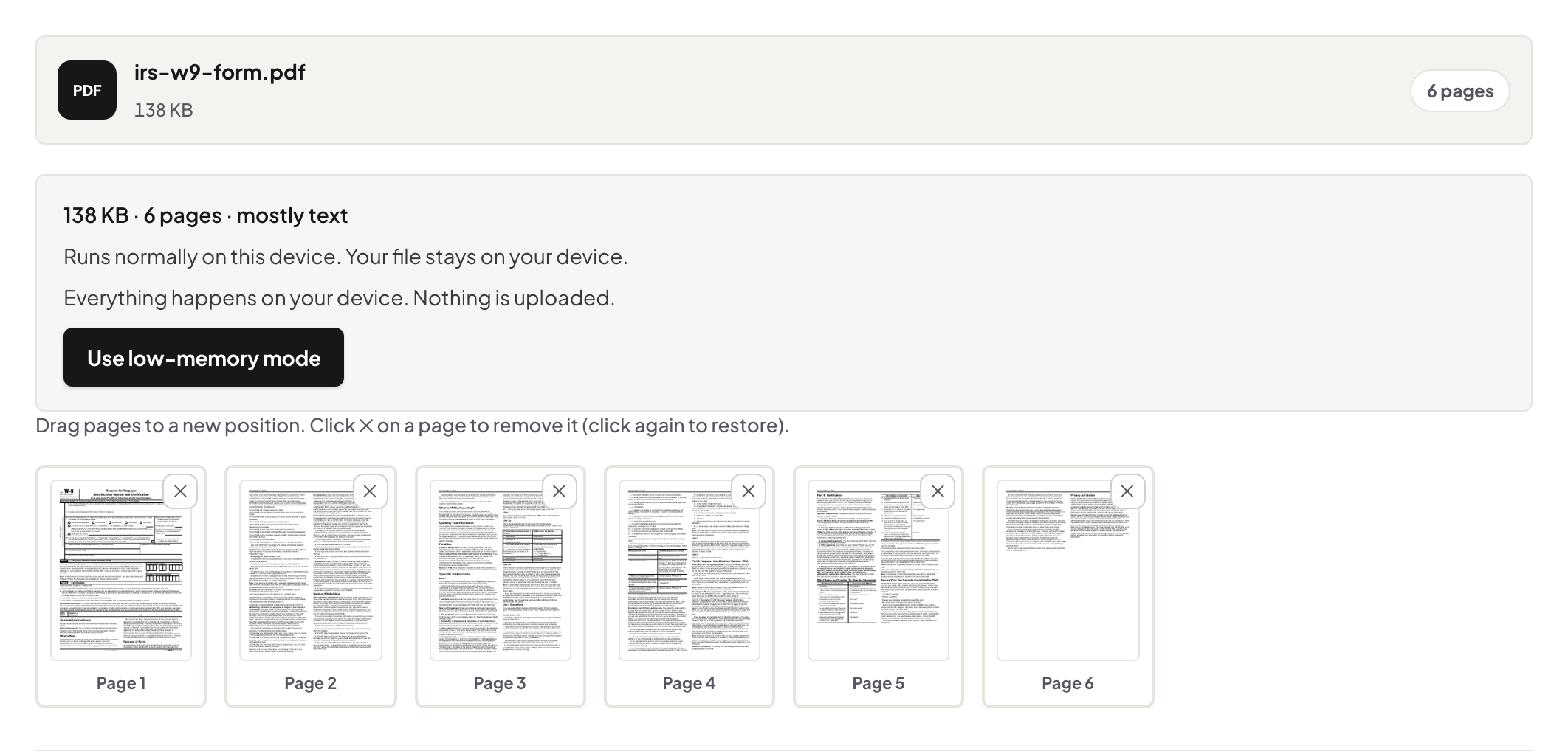
Quick start. Open Organize PDF, add the file, select the pages that should go, remove them, download. The same page works with a mouse at a desk and a thumb on a phone.
See what you are deleting
Deletion is a visual job: the tool lays the document out as pages so the blank scan-backs, the duplicate, the wrong-language half are all visible before anything happens. Select, remove, and the remaining pages close up in order. While you are there, the same view reorders and rotates — most tidy-up sessions are all three.
What "deleted" does and does not mean
A removed page's content is not carried into the new file. But be precise about the job: deleting a page removes that page — it does not clean sensitive words from the pages that remain (that is redaction), and it does not clear document metadata such as author or title (that is Edit Metadata). For a file going outside the company, think in those three layers.
Keeping, not deleting
When you want pages 12–24 rather than everything-but, Split PDF with a range is the more direct tool, and the split guide covers ranges, chapters and size caps.
Phone specifics
On a phone the page grid scrolls vertically and selection is a tap; the rebuilt file lands in downloads like any other. Big scans preview more slowly on old phones — the work still completes.
Troubleshooting
I deleted the wrong page. The original is untouched — start again from it. Printed numbers now skip. Restamp with Add Page Numbers. The file will not open. If it is damaged, repair it before organizing.
Frequently asked questions
Is a deleted page recoverable from the new file?
The page and its content are not carried into the output. Metadata and attachments are separate — clear those with Edit Metadata if they matter.
Can I delete every page except a few?
Yes — keep is just delete inverted. For pulling one section out, Split PDF by range is often quicker.
Does deleting pages renumber the printed page numbers?
No — numbers printed on the pages are content and stay as they were. Add Page Numbers can restamp the new sequence.
Try it yourself
Free, private, no account. Runs entirely in your browser.
