What happens when you OCR a scan here: engine, language packs, confidence
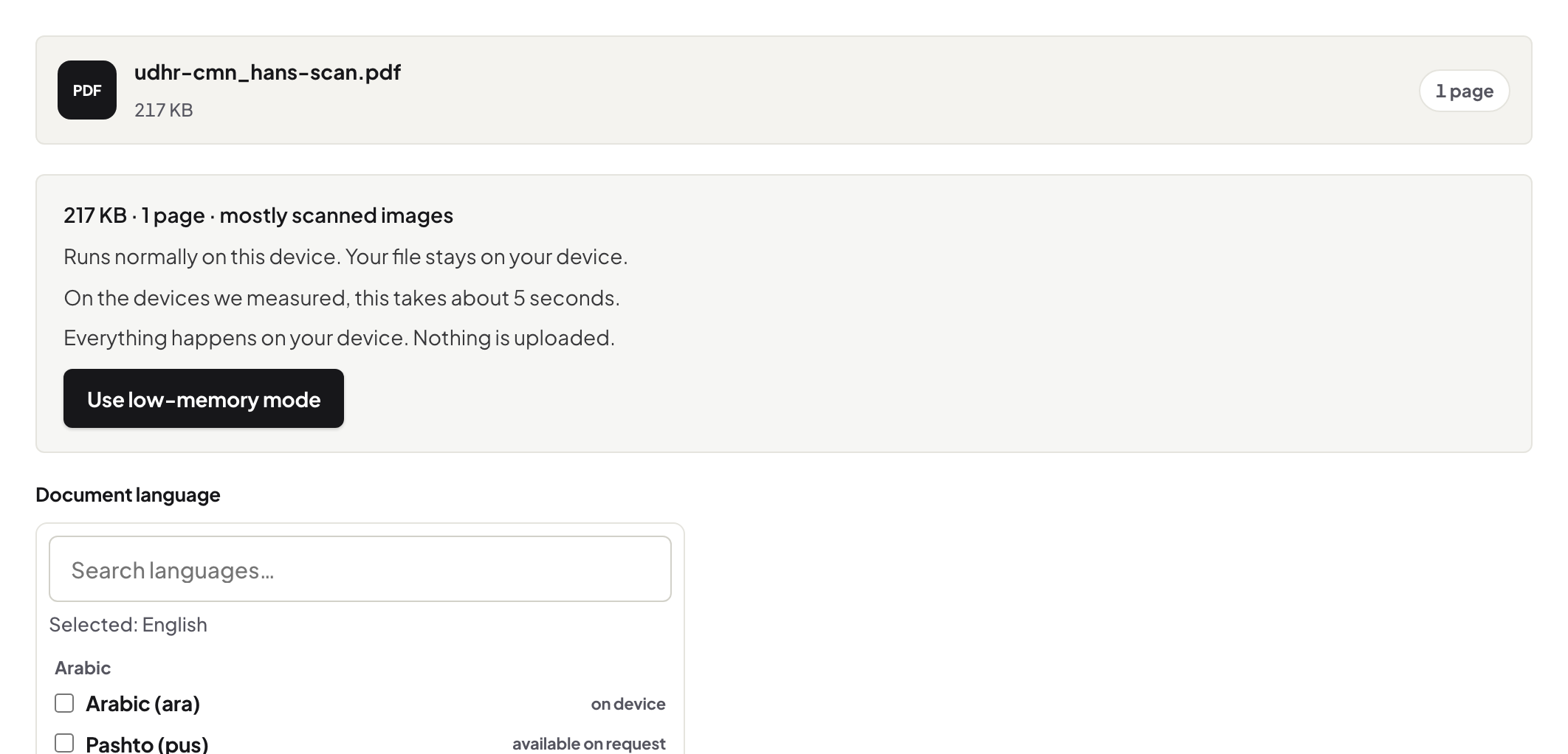
Browser OCR behind the scenes: a 14 MB engine downloaded once, per-language packs, auto-detection, per-page confidence — the scan never leaves the tab.
UnboundPDF is a free suite of 54 PDF and image tools that run entirely in your browser — merge, split, compress, edit text, OCR in 126 languages, redact, sign, convert and archive to PDF/A. Your document is read and written by the page on your own device; there is no document-upload endpoint in the core tools, no account, no watermark and no daily cap. Every result can be checked — with the Network tab, or with the Document Passport the Workspace writes for a chain of steps.

Short answer. The recognition engine (about 14 MB of program code) downloads once from unboundpdf.com and is cached; the language pack for the language you use loads on demand; your scan is processed in the tab and never uploaded. OCR PDF shows a confidence figure per page so you know what to trust.
What downloads, and what never does
Two kinds of bytes move: the engine, once per device, and one trained data file per language you actually use — loaded the first time you OCR in that language, cached after. Your document is not either of them. You can watch the whole exchange in the Network panel; the Privacy Lab shows the method.
126 languages without shipping 126 packs
Shipping every language to every visitor would be absurd; loading the one you need on demand is why the first Vietnamese run pauses briefly and the second does not. Auto-detection samples the document and picks the pack; set the language yourself when you know it — detection on short or mixed documents is the harder case.
What the confidence number means
The engine scores how sure it was, page by page. Clean 200–300 DPI office scans score high; skew, low light and small print pull it down. Treat a low-scoring page as a page to re-scan or deskew, not as text to trust — and check any number you will rely on against the image.
Where the text goes
Recognition writes an invisible text layer underneath the scan; the page's pixels are untouched — not re-encoded, not cleaned, not "enhanced". Search, copy and screen readers use the layer; your eyes keep the original.
Why on-device matters here specifically
Scans are the documents people least want uploaded: contracts, medical letters, IDs. On-device OCR means the recognition happens where the document already is. The cost is that your machine does the work — a long book takes as long as it takes, and a laptop beats a phone for the big jobs.
Troubleshooting
First run is slow. That is the one-time engine download; later runs start immediately. Wrong language detected. Set it explicitly. Low confidence on straight, clean pages. Check the language and the print size; very small print recognises worse at low scan resolution.
Frequently asked questions
Are the language packs uploaded with my scan?
Nothing is uploaded. Packs are downloaded to your browser as program data; the scan stays in the tab.
Which languages are covered?
126, including all major European, Cyrillic, Greek, Arabic, Indic and CJK scripts; auto-detection picks one, or you choose.
Does OCR change my scan's appearance?
No — the text layer is invisible and the scanned image is untouched.
Try it yourself
Free, private, no account. Runs entirely in your browser.