Sharing application files without leaking applicants' lives: redaction for landlords
Redact tenant application PDFs before sharing them: what to remove, why covering isn't removing, and how to verify the redaction on the finished file.
UnboundPDF is a free suite of 54 PDF and image tools that run entirely in your browser — merge, split, compress, edit text, OCR in 126 languages, redact, sign, convert and archive to PDF/A. Your document is read and written by the page on your own device; there is no document-upload endpoint in the core tools, no account, no watermark and no daily cap. Every result can be checked — with the Network tab, or with the Document Passport the Workspace writes for a chain of steps.

Quick start. Work on a copy in Redact PDF: mark the account numbers, ID numbers and third-party details, apply, and let it verify the result. Then the select-all test yourself — what is gone should be gone.
The landlord's specific trap
Application files are dense with other people's data — the applicant's payslips, their bank statements, a guarantor's details — and they get shared onward: to a co-owner, a property manager, the current landlord confirming history. Forwarding the raw file shares everything. The pass that removes what the next reader does not need is ten minutes; the leak it prevents is not undoable.
Covering is not removing
The classic failure is the black rectangle drawn over the salary line: the pixels are covered, the text is still in the file, and select-copy-paste retrieves it. True redaction removes the text and clears the region — the demonstration takes thirty seconds and converts everyone who sees it. Redact PDF removes, then verifies on the output and names any page it could not fully clear.
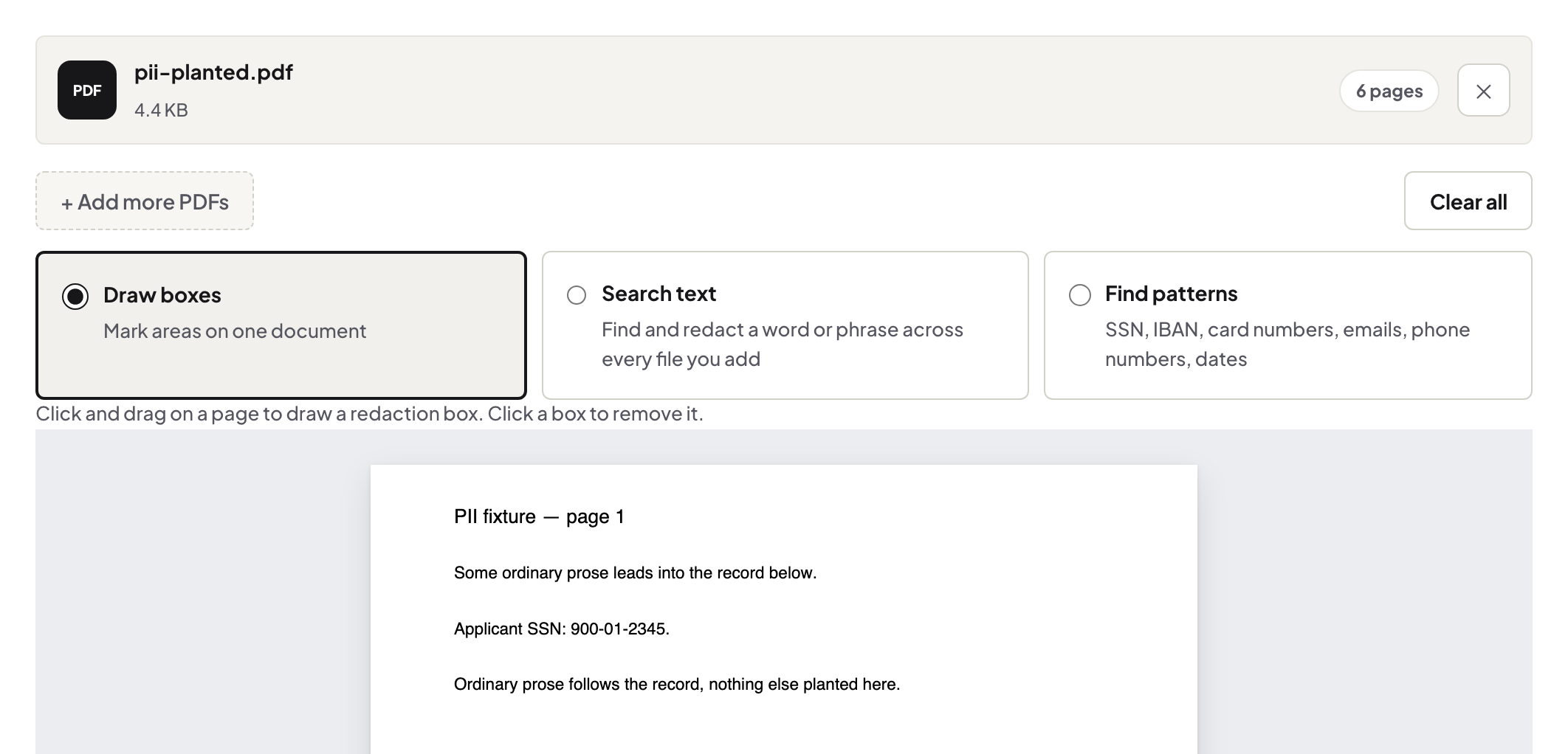
A repeatable pass
Same order every application: identifiers first (account and ID numbers), then third parties (the guarantor's employer, the referee's phone number), then anything beyond the recipient's need. For a production-grade version of this discipline, the lawyer's checklist is the same craft with higher stakes; the verifier is your second pair of eyes on any file.
Troubleshooting
The statement is a scan. Region redaction still clears the pixels; run OCR first if you want text-search to help you find every instance. I redacted the original. That is the correct direction to fail — but keep the unredacted original filed separately; redact copies, per recipient. Metadata worries. Edit Metadata clears author and title fields the redaction pass does not touch.
Frequently asked questions
What typically needs redacting from application files?
Account numbers, ID numbers, salary details beyond what the recipient needs, third parties' names. What you are required to remove is set by the rules that apply to you.
Can I just black-box it in an editor?
No — a drawn box covers text that remains in the file and copies right out. Redaction removes it; the difference is the whole point.
How do I know the redaction worked?
It verifies on the finished bytes and reports per page; the Redaction Verifier double-checks any file, including ones redacted elsewhere.
Try it yourself
Free, private, no account. Runs entirely in your browser.