A watermark tells people what a copy is; it does not stop them. Use it for that.
Stamp DRAFT, CONFIDENTIAL or a recipient's name across every page as page content in your browser — and what a watermark can and cannot do.
UnboundPDF is a free suite of 54 PDF and image tools that run entirely in your browser — merge, split, compress, edit text, OCR in 126 languages, redact, sign, convert and archive to PDF/A. Your document is read and written by the page on your own device; there is no document-upload endpoint in the core tools, no account, no watermark and no daily cap. Every result can be checked — with the Network tab, or with the Document Passport the Workspace writes for a chain of steps.

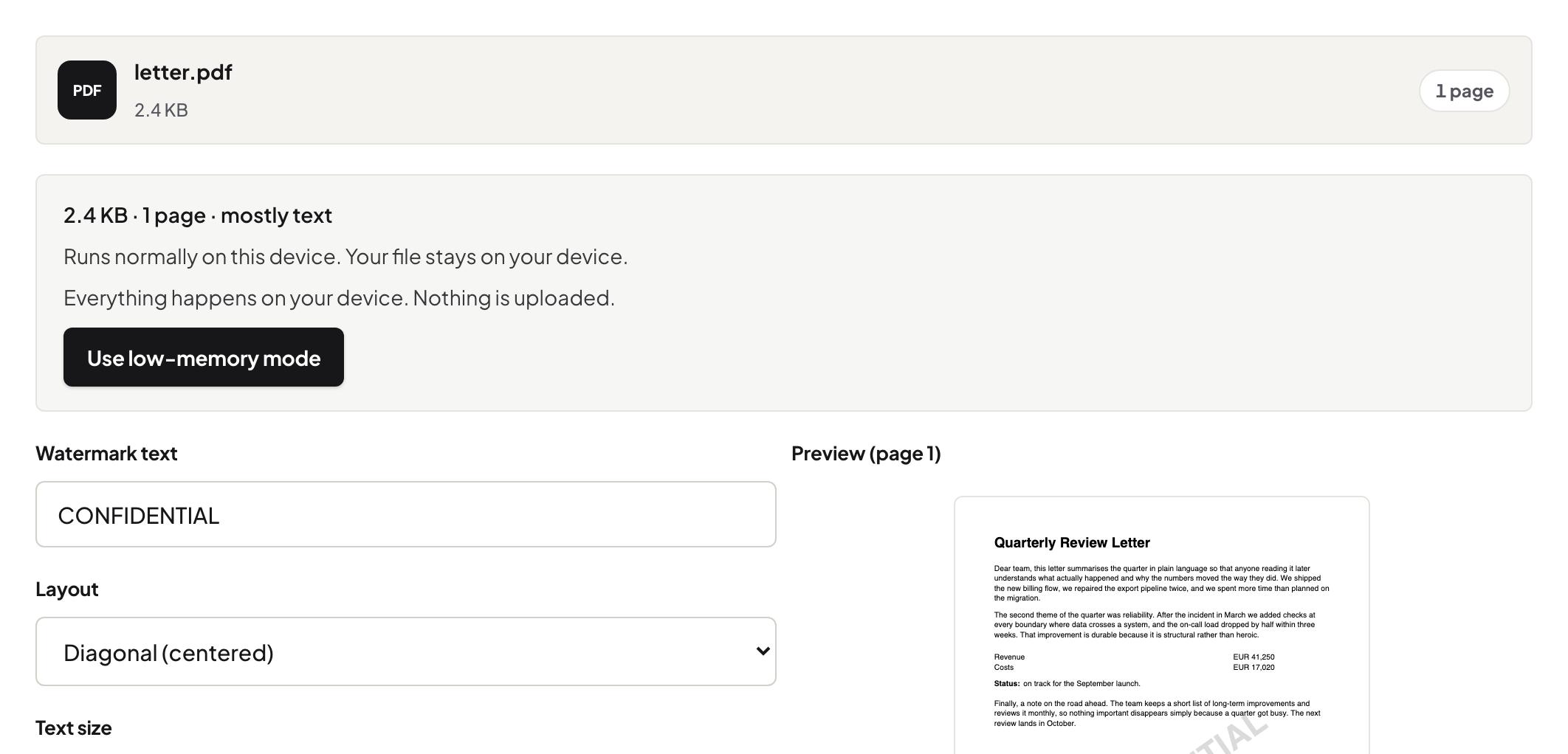
Quick start. Watermark PDF → type the text → diagonal or tiled, size, opacity → save. The watermark is written into the page content on every page.
What a watermark is for
Telling every reader, on every page, what this copy is: a draft, confidential, prepared for a named person. A name per recipient discourages forwarding because the leak carries its origin. That is deterrence, not enforcement.
What it is not
Not protection: a watermark can be removed when it is a separate object — our own Remove Watermark does exactly that, and says when it cannot. For control, use a password (Protect PDF) and send it by another route; for content that must not travel at all, redact.
Opacity and placement
Around 20–30% opacity reads clearly without obscuring the text; diagonal across the page is the convention; tiled suits photo-heavy pages where a single diagonal may land on white space.
Review copies at scale
In the Workspace, a watermark step in a recipe runs the same way on every document; change the text per recipient and download each copy.
Frequently asked questions
Can a watermark be removed?
Yes, when it is a separate object — which is why it is a label, not a lock.
Does it affect text selection?
No — body text stays selectable; the watermark is text too.
Can I watermark a scan?
Yes — it is added above the scanned image.
Try it yourself
Free, private, no account. Runs entirely in your browser.
