Getting twelve months of statements into one sheet, on your own machine
Convert PDF bank statements to Excel in your browser — typed numbers, a check that totals match — and never upload a statement to anyone.
UnboundPDF is a free suite of 54 PDF and image tools that run entirely in your browser — merge, split, compress, edit text, OCR in 126 languages, redact, sign, convert and archive to PDF/A. Your document is read and written by the page on your own device; there is no document-upload endpoint in the core tools, no account, no watermark and no daily cap. Every result can be checked — with the Network tab, or with the Document Passport the Workspace writes for a chain of steps.

Quick start. PDF to Excel → add the statement PDFs → run → open the workbook. Check one month's total against the printed closing balance; then trust the rest.
Why statements are the hard case — and fine
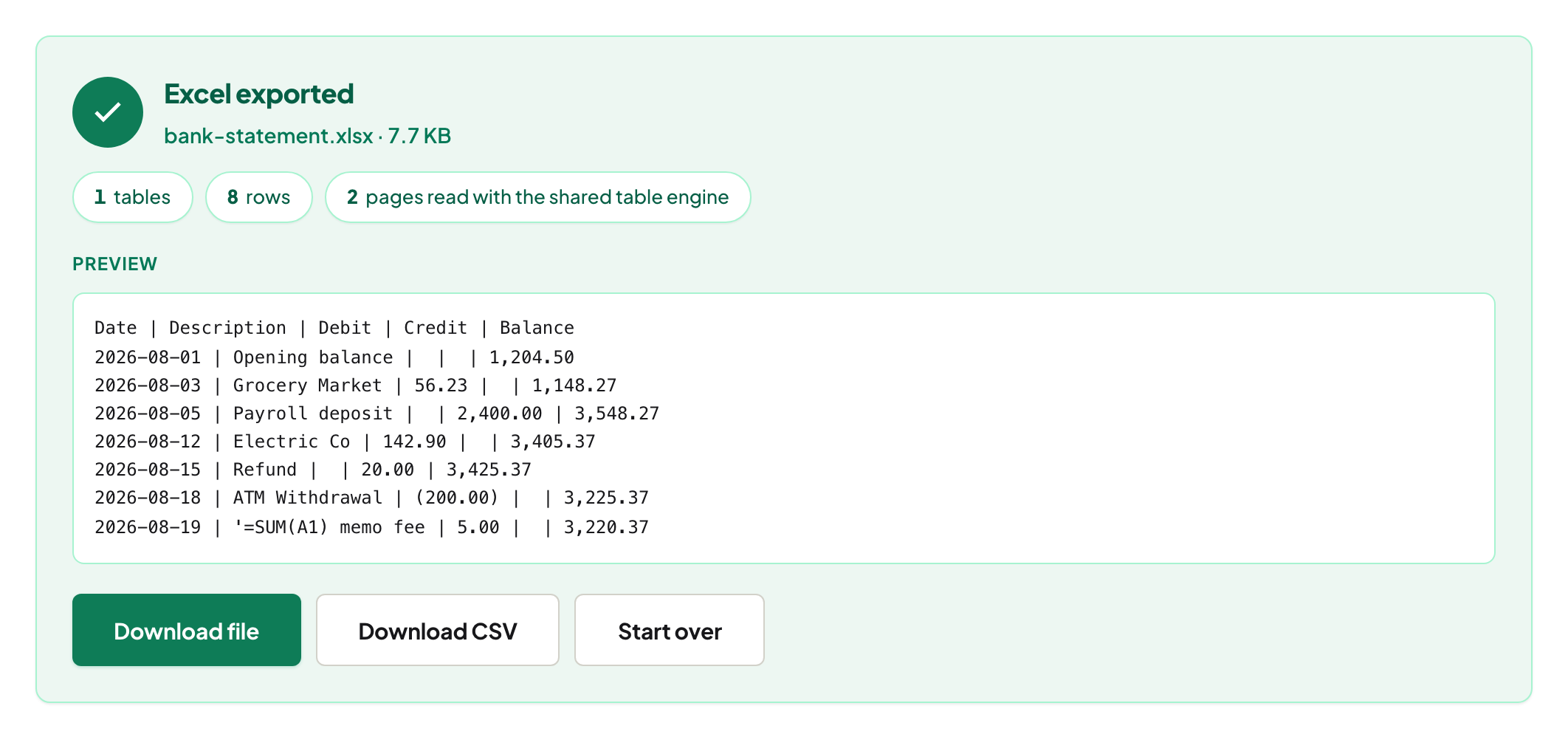
Statements are unruled tables: columns aligned by whitespace, descriptions that wrap, amounts in two columns. The detector reads the alignment and writes typed cells; the two things to check are a wrapped description that became two rows and the sign convention for debits.
The one check that matters
Sum the amount column for one month and compare it with the printed closing balance minus the opening balance. If it matches, the conversion is right for that layout; the other months use the same layout. If it is off, find the row — it is always a wrapped line or a misread sign.
Scanned statements
Paper statements photographed or scanned have no text: OCR PDF first, then convert, then do the total check with more attention — OCR can misread a digit.
Sharing a statement safely
A mortgage broker needs the statement, not your card number and the neighbour's transfer. Redact PDF removes the text and verifies it on the output; Redaction Verifier checks any statement someone else redacted.
Mac, Windows, iPhone, Android
Same page; the workbook opens in Excel, Numbers or Sheets. Nothing is uploaded — for a bank statement that is the point.
Troubleshooting
Dates came through as text. Some banks print dates without a year; add it in the sheet. Two amount columns merged. Try CSV and split on the decimal alignment, or crop to the table first. Nothing detected. It is a scan — OCR.
Frequently asked questions
Will the bank's PDF layout work?
Most do — unruled, whitespace-aligned tables are supported. Check one month's total to confirm.
Is the statement uploaded?
No. The PDF is read and the workbook written in your browser tab.
Can I combine all months into one sheet?
Run the converter on each statement (or on a merged PDF) and the workbook carries one table per statement; paste them together in the sheet.
Try it yourself
Free, private, no account. Runs entirely in your browser.
