Turning a PDF table into a spreadsheet you can actually sum
Convert PDF tables to .xlsx with real numbers in your browser — ruled and unruled tables, statements and invoices, and what to check in the sheet.
UnboundPDF is a free suite of 54 PDF and image tools that run entirely in your browser — merge, split, compress, edit text, OCR in 126 languages, redact, sign, convert and archive to PDF/A. Your document is read and written by the page on your own device; there is no document-upload endpoint in the core tools, no account, no watermark and no daily cap. Every result can be checked — with the Network tab, or with the Document Passport the Workspace writes for a chain of steps.

Quick start. Open PDF to Excel, add the PDF, run, open the .xlsx. Numbers arrive as numbers — a SUM works immediately. CSV is also available.
Why "typed cells" matters
Copying a PDF table into a spreadsheet pastes text: "1,234.50" is a string, dates are strings, and every formula fails until you clean the column. This converter writes a real workbook where numeric cells are numbers and dates are dates, so a total at the bottom of the column works on the first try.
Ruled tables and unruled tables
A ruled table has lines around its cells — invoices, forms, most exported reports. The detector follows the lines, which is the most reliable case. An unruled table is laid out by whitespace only — bank statements, price lists — and the detector infers columns from the alignment of the text. Both are supported; the unruled case is where you check the sheet more carefully.
What to check in the sheet
Three things. Merged cells: a heading spanning several columns may land in the first column — move it. Wrapped cells: a long description that wrapped to two lines in the PDF may have become two rows — join them. Negative numbers in parentheses: some statements print (123.45) for −123.45; check the sign convention on one row. The converter does the arithmetic-ready part; you do the thirty-second sanity pass.
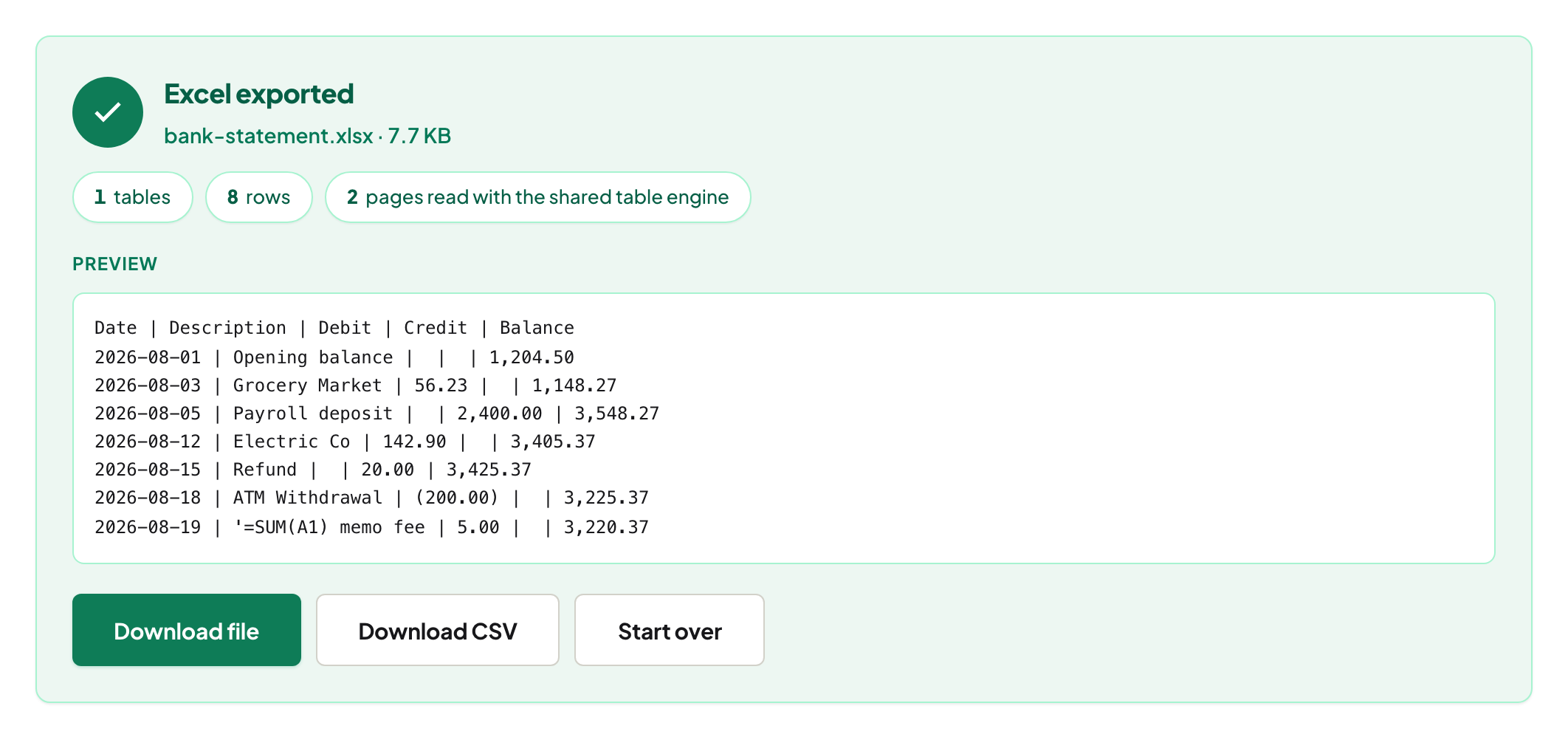
Bank statements, invoices, price lists
Statements are unruled and long — expect one table per page, which the workbook keeps as separate sheets or stacks, depending on the option you choose. Invoices are ruled and short — usually perfect. Price lists with multi-line descriptions are the case for the wrapped-cell check.
Scans
A scanned table has no text layer; run OCR PDF first, then convert. OCR numbers can misread a 5 as an S — a column total that does not match the printed total tells you where.
Excel's own "Get Data from PDF"
Recent Excel versions can import a PDF directly. It works on clean ruled tables and needs Excel installed; it uploads nothing either. This tool runs in any browser, handles unruled tables, and reports what it detected before you open the file.
Mac, Windows, iPhone, Android
Same page. The .xlsx opens in Excel, Numbers, LibreOffice and Google Sheets; on a phone, share it to your spreadsheet app.
Troubleshooting
No tables found. The PDF is a scan (OCR first) or the "table" is a list without column alignment. Columns split wrongly. Unruled layout with ragged alignment — try CSV and tidy, or crop the page to the table with Crop PDF first. Totals do not match. Find the row: a wrapped cell became two rows, or OCR misread a digit.
Frequently asked questions
Does it keep formulas?
A PDF has no formulas — only printed values. You get the values as numbers; add your own formulas in the sheet.
Can I get CSV instead?
Yes, one CSV per table.
Is my statement uploaded?
No. The PDF is read and the workbook is written in your browser tab.
Try it yourself
Free, private, no account. Runs entirely in your browser.