Getting the images out of a PDF at the quality they went in
Pull every embedded image out of a PDF at its stored resolution — not a screenshot — in your browser. When to render pages instead.
UnboundPDF is a free suite of 54 PDF and image tools that run entirely in your browser — merge, split, compress, edit text, OCR in 126 languages, redact, sign, convert and archive to PDF/A. Your document is read and written by the page on your own device; there is no document-upload endpoint in the core tools, no account, no watermark and no daily cap. Every result can be checked — with the Network tab, or with the Document Passport the Workspace writes for a chain of steps.

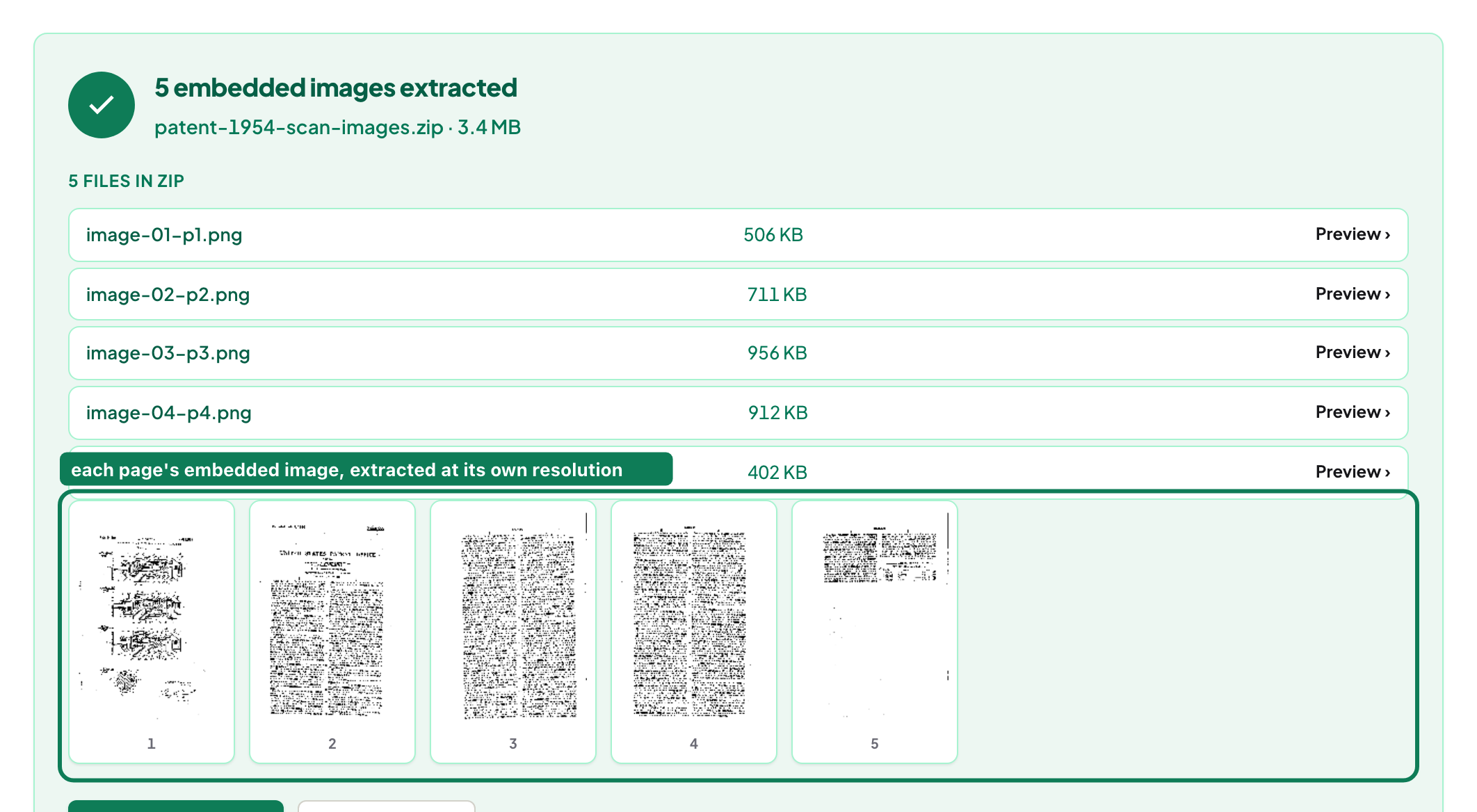
Quick start. Open Extract Images, add the PDF, download the ZIP. Each image is the file the PDF carried — same pixels, same encoding — named by page.
Embedded images versus pictures of pages
A PDF stores photographs as separate objects inside the file: a JPEG or a PNG-like stream with its own width, height and encoding. Extracting those objects gives you the original bytes — a 4,000-pixel photo comes out as a 4,000-pixel photo. Rendering a page to an image instead (PDF to JPG) paints everything on the page at a resolution you choose — right when you want the page as a picture, wrong when you want the photo inside it.
What you get
One file per embedded image, named by page and order, in a ZIP. The result panel lists each image's dimensions and size, so you can tell a 300 × 200 icon from the full-page scan before opening anything. Vector graphics — logos drawn as paths, charts drawn as lines — are not images and are not extracted; render the page for those.
Why some PDFs have "no images"
Because the pictures are not stored as images: a brochure exported with graphics as vectors, or a page where the photo was flattened into a full-page raster that the tool does list — as one image the size of the page. Text-only PDFs return nothing, which is the correct answer and the reason the Privacy Lab uses an image-bearing fixture for its no-upload test.
Scans
A scanned document is one image per page; extraction returns those page images at the scanner's resolution. That is the cleanest way to recover scans from a PDF someone assembled — cleaner than rendering, which would re-sample them.
Mac, Windows, iPhone, Android
Same page everywhere. On a Mac, Preview can export a page, not the images inside it; on Windows, screenshots are the usual workaround — both lose resolution. On a phone the ZIP lands in Files; open it there or share it.
Troubleshooting
Nothing extracted. The file has no embedded rasters — render pages with PDF to JPG. Images look dull or washed out. Some PDFs apply a colour transform at render time that the raw image does not carry; compare with a page render. Encrypted file. Unlock PDF first. Hundreds of tiny images. Scanned documents from some copiers split pages into strips; render the page instead.
Privacy
The PDF is read in the tab and the ZIP is written in the tab. This is the tool our Privacy Lab uses to demonstrate zero requests during processing; you can repeat the check with DevTools open.
Frequently asked questions
What is the difference between extracting images and converting PDF to JPG?
Extracting returns the image files stored inside the PDF at their original resolution. PDF to JPG paints whole pages to images at a chosen resolution. Use the first for photos inside a document, the second for pages as pictures.
Why are the extracted images a different size from what I see?
A PDF can scale an image on the page; the stored image keeps its own pixel size. You get the stored pixels.
Can it extract images from a scanned PDF?
Yes — each page is one image, returned at the scan's resolution.
Try it yourself
Free, private, no account. Runs entirely in your browser.