You need page 12, not the document: pulling single pages out cleanly
Extract one page — or a handful — from a PDF in the browser: set the range, download just those pages at original quality, originals untouched.
UnboundPDF is a free suite of 54 PDF and image tools that run entirely in your browser — merge, split, compress, edit text, OCR in 126 languages, redact, sign, convert and archive to PDF/A. Your document is read and written by the page on your own device; there is no document-upload endpoint in the core tools, no account, no watermark and no daily cap. Every result can be checked — with the Network tab, or with the Document Passport the Workspace writes for a chain of steps.

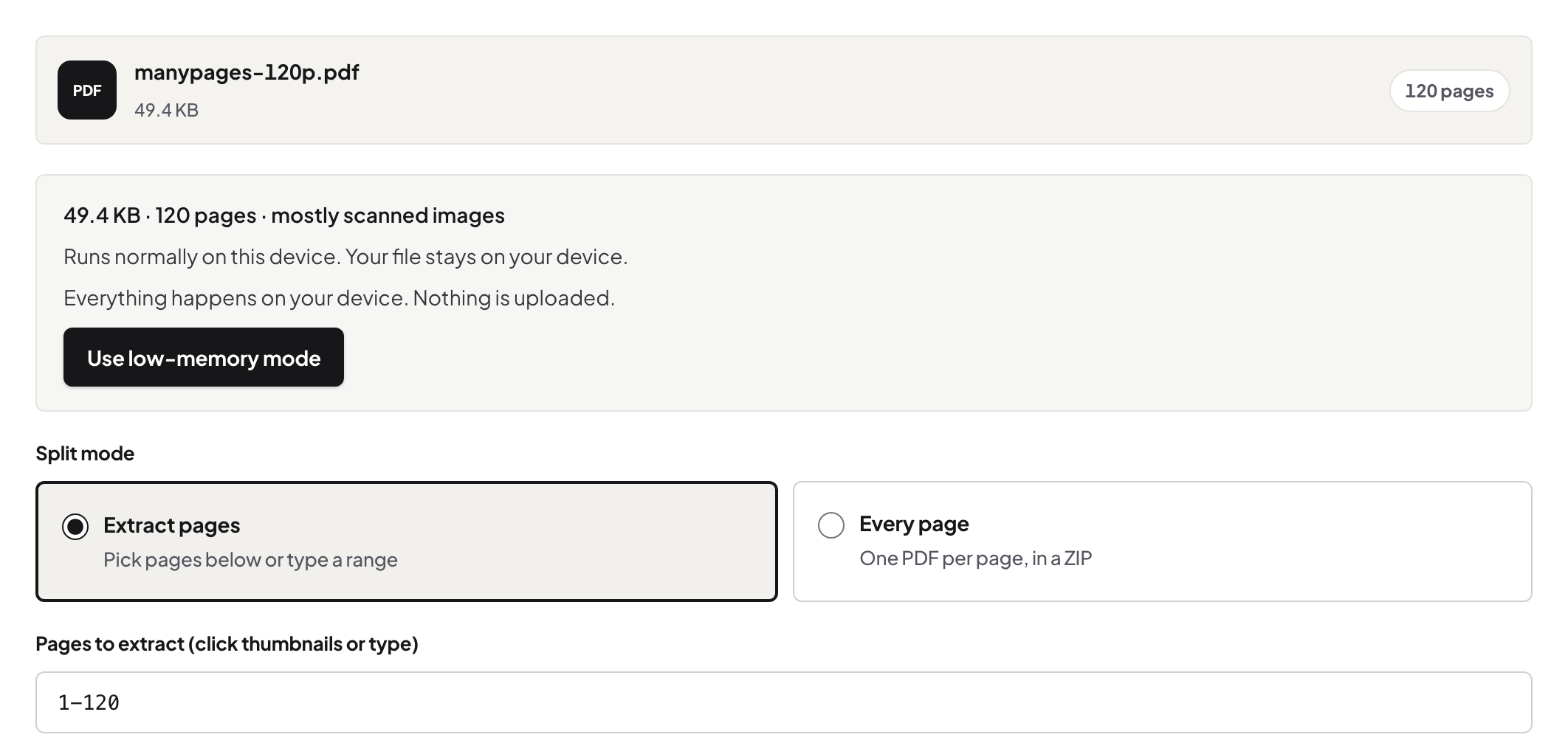
Quick start. Open Split PDF, add the document, enter the page or range — 12, or 3,12,40, or 8-14 — download. The output is a PDF of exactly those pages; the source file is untouched.
Why not send the whole thing?
Because the whole thing is 60 pages of things the recipient does not need — and sometimes should not have. The signature page for countersigning, the one exhibit for the meeting, the single statement page the bank asked for: each is a page-extraction job, and sending exactly what was asked reads as competence.
Extract, don't screenshot
The tempting shortcut is a screenshot of the page — which produces a low-resolution picture with no selectable text that prints badly. An extracted page is still a PDF page: vector text, full quality, searchable. When someone genuinely wants an image, render it properly at a chosen resolution instead of screenshotting it.
The privacy edge of the same knife
Extracting page 12 does not sanitise page 12 — if the page itself carries account numbers the recipient should not see, redact before sending. And remember what extraction spares you: the other 59 pages never travel at all, which is the cheapest privacy win in the toolkit.
Troubleshooting
I keep needing the same page from a recurring report. The range is stable across issues if the layout is — same command every month. Page numbers printed on pages disagree with PDF positions. Ranges follow the PDF's own count; check the position in the viewer, not the printed folio. Need every chapter as its own file? That is splitting proper, not extraction.
Frequently asked questions
Does the extracted page lose quality?
No — the page is copied out as it is, text selectable, nothing re-encoded.
Can I take pages 3, 12 and 40 in one go?
Yes — ranges accept lists and spans; you get one PDF with exactly those pages.
I need the page as an image, not a PDF.
That is a different tool: PDF to JPG renders the page at the resolution you pick.
Try it yourself
Free, private, no account. Runs entirely in your browser.
