The repository wants PDF/A. What that means and how to hand it one
Convert a thesis to PDF/A for university repository submission in the browser: what PDF/A changes, when to convert in the chain, and what to check.
UnboundPDF is a free suite of 54 PDF and image tools that run entirely in your browser — merge, split, compress, edit text, OCR in 126 languages, redact, sign, convert and archive to PDF/A. Your document is read and written by the page on your own device; there is no document-upload endpoint in the core tools, no account, no watermark and no daily cap. Every result can be checked — with the Network tab, or with the Document Passport the Workspace writes for a chain of steps.

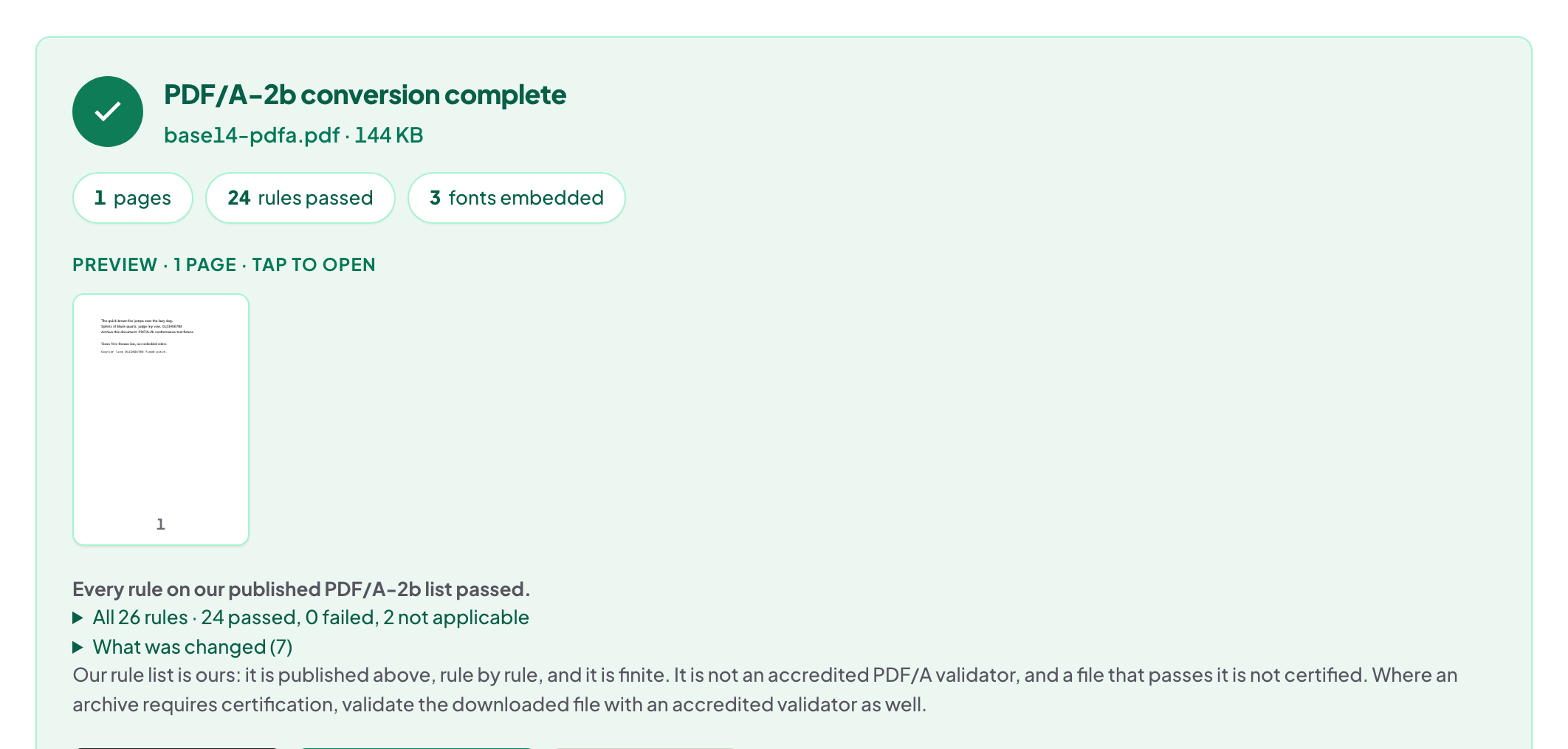
Quick start. With the thesis finished — merged, numbered, compressed — open PDF/A, add the file, convert, and download the archival copy. It is checked against our published PDF/A-2b rule list; submit that copy to the repository.
What PDF/A actually is
An archival profile of PDF: everything the document needs to render must live inside the file — fonts embedded, colours defined, no reliance on whatever machine opens it in 2056. Repositories require it because "looks right on my laptop today" is not a preservation plan. The full PDF/A explainer goes deeper on the profiles.
Last step in the chain, deliberately
Convert to PDF/A after every other operation: merge, number, compress, then archive. Editing a PDF/A file afterwards can silently take it back out of conformance, so the archival copy is the end of the line — keep your working original alongside it, and make corrections there.
What the checks are, honestly stated
The converted file is checked against our published PDF/A-2b rule list — fonts, colour spaces, metadata, the structural requirements the profile names — and the tool tells you what it normalised. That is a strong, transparent check, and it is not a certification: your university's repository runs its own validator, and if it flags something, the report tells you both what to look at.
Troubleshooting
The repository's validator still objects. Read its message next to the tool's report — a font the source never embedded is the usual suspect; re-export the source with fonts embedded and reconvert. The file grew. Embedding fonts costs a little size; that is the archival trade. I edited the PDF/A copy. Reconvert from the edited file; conformance is not sticky through edits.
Frequently asked questions
Why do repositories insist on PDF/A?
They keep documents for decades. PDF/A requires the file to be self-contained — fonts embedded, no external dependencies — so it renders the same in thirty years.
Does conversion change how my thesis looks?
The intent of PDF/A is faithful, self-contained rendering. Page through the converted file once — fonts are where differences would show.
Is the converted file validated?
It is checked against our published PDF/A-2b rule list, and the tool reports what it changed. Your repository's own checker has the final word.
Try it yourself
Free, private, no account. Runs entirely in your browser.