The table is a photograph: recognition first, extraction second, verification always
Get a scanned table into Excel: OCR writes the text layer, PDF to Excel builds the grid, and the totals row tells you what to trust. The chain, honestly.
UnboundPDF is a free suite of 54 PDF and image tools that run entirely in your browser — merge, split, compress, edit text, OCR in 126 languages, redact, sign, convert and archive to PDF/A. Your document is read and written by the page on your own device; there is no document-upload endpoint in the core tools, no account, no watermark and no daily cap. Every result can be checked — with the Network tab, or with the Document Passport the Workspace writes for a chain of steps.

The chain. Select-a-word test → nothing selects, it's a scan → OCR (straightened, right language) → PDF to Excel on the recognised copy → verify the totals row against the page. Four steps, all local.
Why the order is non-negotiable
Table extraction reads text and positions; a scan offers pixels. OCR supplies the missing layer — every recognised word with its place on the page — and only then can the extractor infer columns and rows. Skipping ahead just proves the point with an empty sheet.
Scan quality is table quality
Everything in the scan-quality habits pays double for tables: a tilted page doesn't just lower a confidence score, it bends the grid the extractor must infer. Deskew first, always. Digits are less forgiving than words too — an O-for-0 in prose is cosmetic; in a balance column it is a wrong number wearing a plausible face.
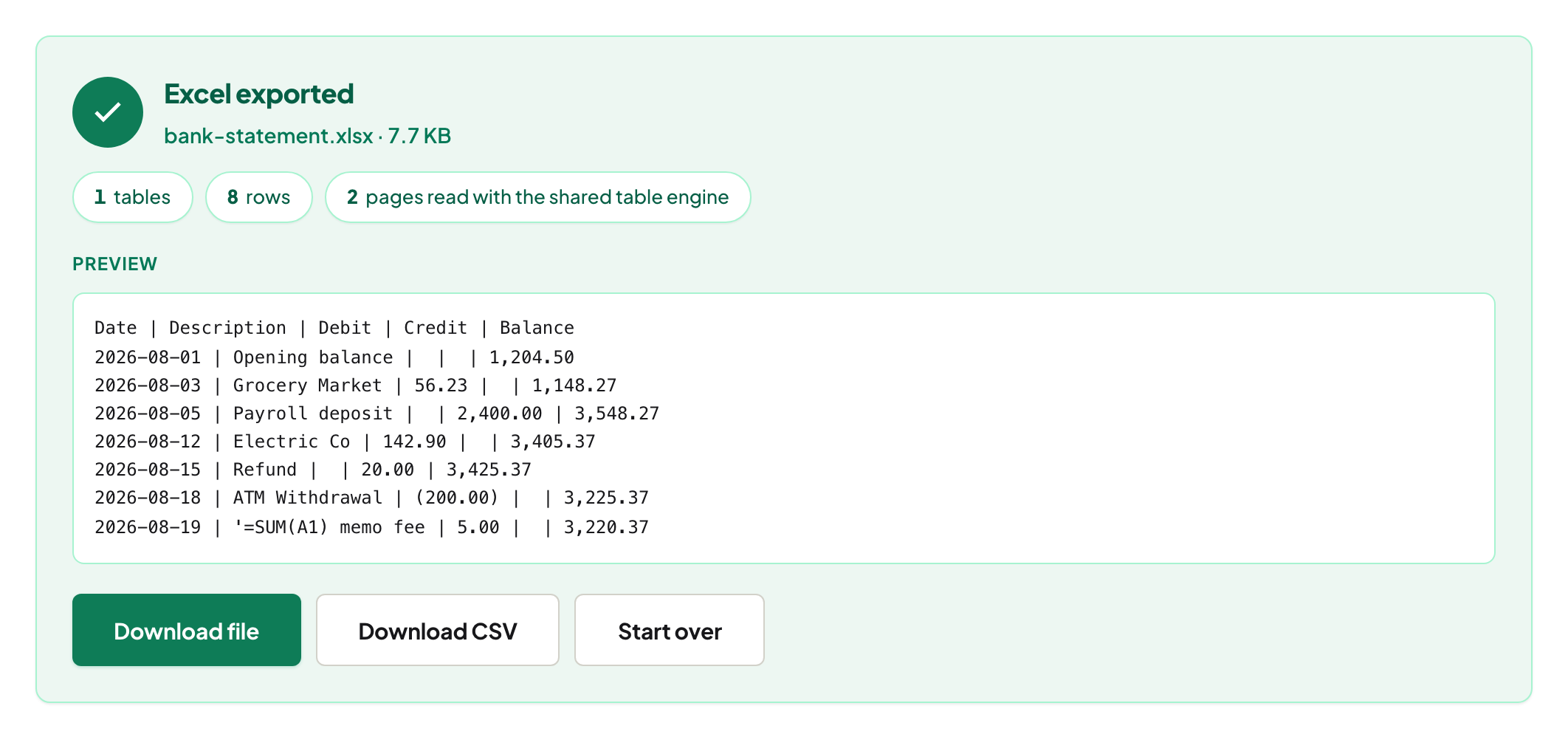
Verification is part of the chain, not an option
Sum the extracted columns and compare against the printed totals — agreement is strong evidence the grid and digits came through; disagreement localises the error to a column in seconds. Then the repair guide handles what broke. For the recurring monthly case, the statement walkthrough turns this whole chain into routine.
Troubleshooting
Confidence is high but the grid is wrong. Recognition succeeded; structure inference struggled — the table's layout is the issue, see the repair guide's header fixes. Handwritten entries in the table. Honest limit: print recognises, handwriting doesn't — type those cells from the image. The photocopy-of-a-fax class. Some sources are beyond rescue at any setting; request a better copy before spending an evening.
Frequently asked questions
Can PDF to Excel read a scan directly?
A scan has no text until OCR writes it — run OCR first, then extract. The select-a-word check tells you which case you have.
How accurate are numbers from scanned tables?
It depends on scan quality, and the per-page confidence tells you where to look. Any figure that feeds a decision gets checked against the image — that rule has no exceptions.
Does any of this upload the statement?
No — recognition and extraction both run in your browser.
Try it yourself
Free, private, no account. Runs entirely in your browser.