DRAFT on drafts, your name on deliverables: watermarking as business hygiene
Watermark client PDFs in the browser: DRAFT on review copies, attribution on deliverables — what a watermark does, what it doesn't protect, alternatives.
UnboundPDF is a free suite of 54 PDF and image tools that run entirely in your browser — merge, split, compress, edit text, OCR in 126 languages, redact, sign, convert and archive to PDF/A. Your document is read and written by the page on your own device; there is no document-upload endpoint in the core tools, no account, no watermark and no daily cap. Every result can be checked — with the Network tab, or with the Document Passport the Workspace writes for a chain of steps.

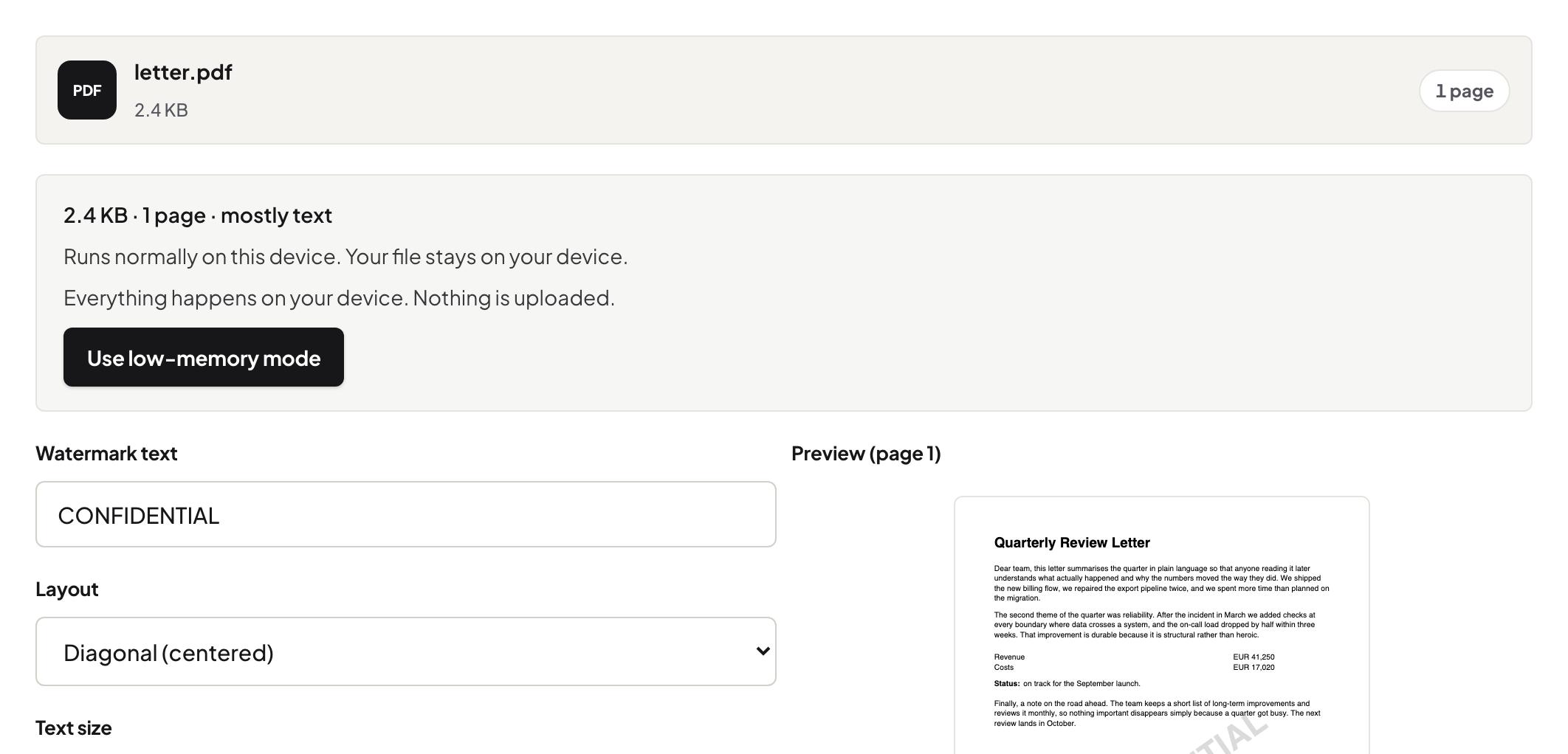
Quick start. Open Watermark PDF, add a copy of the document, set the text — DRAFT, the client's name, your studio's name — angle and lighten it so the content stays readable, download. The clean original stays in your files.
The two watermarks a small business actually needs
Status and origin. DRAFT across a review copy ends the "wait, is this final?" email thread and stops a half-approved design being forwarded as finished. Origin — your name or the client's on their copy — keeps documents attributable once they start travelling through inboxes you do not control. Both are ten-second stamps on a copy.
What a watermark is not
It is not protection. It does not stop copying, printing or forwarding, and content under a light stamp is fully readable by design. If what you need is for content to be unreadable to the wrong people, that is a password; if content must be gone entirely, that is redaction. Pick the tool by what failure you are preventing — the review-copy guide draws these lines in more detail.
A workable convention
Drafts: DRAFT diagonal, grey, every page. Client deliverables: the client's name small in the footer — polite, traceable. Internal-only: CONFIDENTIAL, and the recipient list stays short. Whatever you pick, keep it identical across clients: conventions only work when they are boring.
Troubleshooting
The stamp fights a dark design page. Lighten it further or move it to the margin band; a watermark that wrecks legibility gets copies made from the clean file, defeating itself. I watermarked the original. Re-export or fetch the clean copy from your archive — the stamped file is now the review artefact. The client wants the mark gone from the final. Send the final from the clean original; that is why it never gets stamped.
Frequently asked questions
Does a watermark stop someone using my work?
It marks the document's status and origin; it is not copy protection. A determined person can work around any watermark — its value is clarity, not enforcement.
Watermark the original or a copy?
Always a copy. Keep the clean original; stamp DRAFT on what goes out for review, and stamp the final differently or not at all.
Text or image watermark?
Text for status (DRAFT, CONFIDENTIAL, client name); an image for branding. Keep either light enough that the document stays readable.
Try it yourself
Free, private, no account. Runs entirely in your browser.
