No signature-request platform here — an honest relay that works anyway
Getting someone else's signature on a PDF without an e-signature platform: prepare the file, send it, they sign in their browser, you countersign and file.
UnboundPDF is a free suite of 54 PDF and image tools that run entirely in your browser — merge, split, compress, edit text, OCR in 126 languages, redact, sign, convert and archive to PDF/A. Your document is read and written by the page on your own device; there is no document-upload endpoint in the core tools, no account, no watermark and no daily cap. Every result can be checked — with the Network tab, or with the Document Passport the Workspace writes for a chain of steps.

The honest premise. There is no request-a-signature platform here, and this page won't pretend otherwise. What works instead: prepare the PDF properly, email it, and the other person signs in their own browser in two minutes — no account on their side either. The relay, step by step.
Prepare so signing is trivial
Their signature takes two minutes only if the document is ready: final text (no "one more edit" after they've signed), your own signature and entries already placed and flattened if you sign first, and the signature line obvious. The contract chain covers the preparation half in business terms.
The email that gets it signed
Send the PDF with one line of instruction: "Open the attachment at unboundpdf.com/tools/sign-pdf/ — add the file, place your signature on page 4, flatten, and send it back." A person who has never signed digitally can follow that; nothing installs, no account interrupts them, and their copy of the document processes in their own browser, which you can honestly tell them.
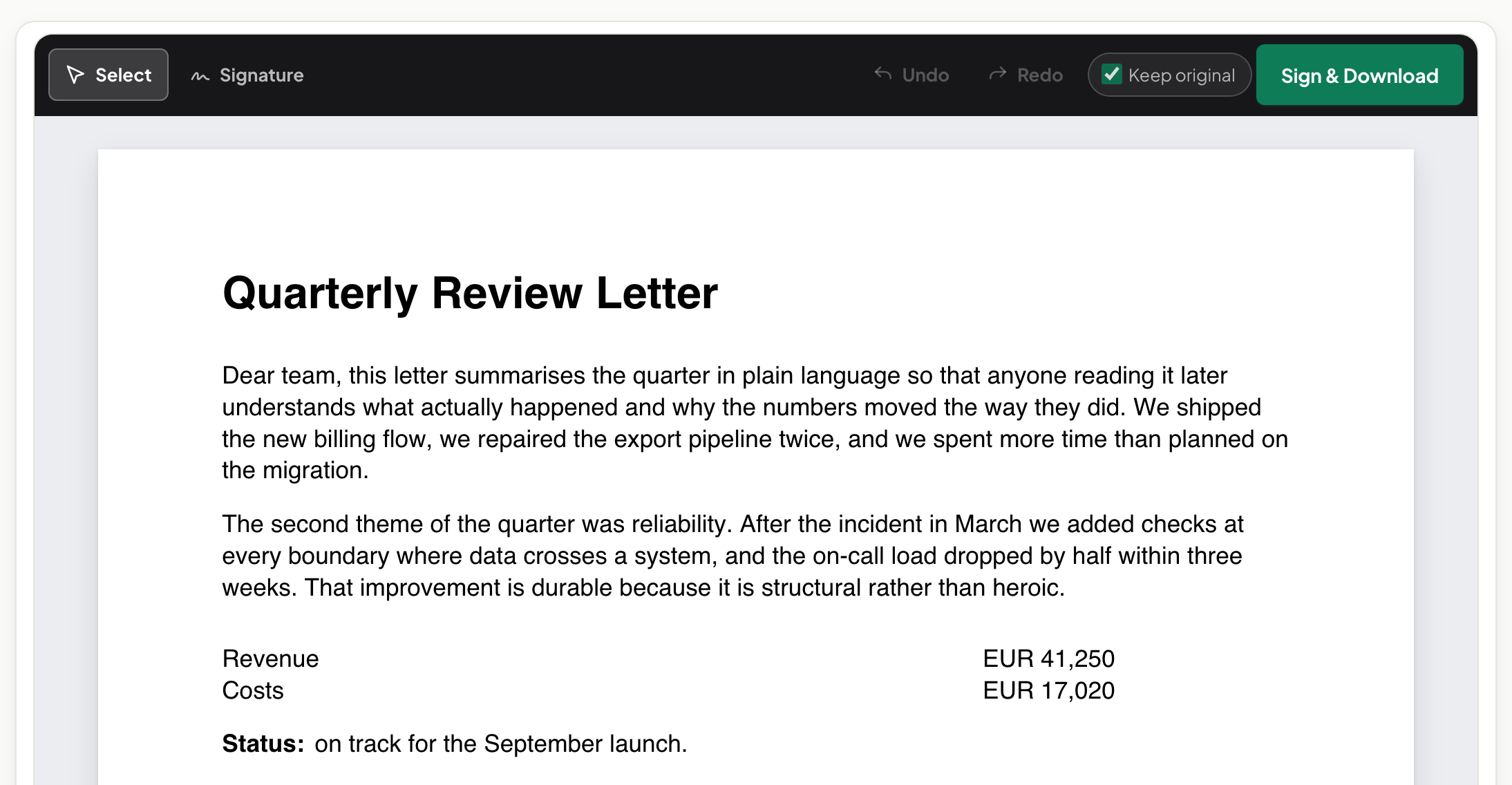
When it returns: verify, countersign, file
Check the returned file is YOUR document plus a signature — compare against the sent copy when the stakes justify it. Countersign if you haven't, flatten, and file the final; send them the fully-executed copy so both sides hold the same artefact.
Troubleshooting
They returned a photo of a printed page. It happens; it may even suffice — deskew and file it, or gently resend the two-minute instructions. They "can't open the file". If you protected it, the password went to the same channel as the file — resend it on another. Three or more signers, deadlines, audit trail. That is genuinely platform territory; the relay is for the everyday two-party case.
Frequently asked questions
Is there a send-for-signature workflow here?
No — stated plainly. These are single-user tools; the relay below covers most two-party cases with an email and five minutes.
When do I actually need a signature platform?
Many signers, enforced signing order, audit trails your counterparty requires, or volume. Those are real platform jobs — use one for them.
How do I know they signed what I sent?
Compare the returned file against your sent copy — the compare tool shows any difference beyond the signature.
Try it yourself
Free, private, no account. Runs entirely in your browser.