Print, sign, scan, email is four steps of losing quality. Sign the PDF directly
Sign a PDF without printing and scanning: place a drawn, typed or photographed signature straight onto the page in the browser, flatten, and send it back.
UnboundPDF is a free suite of 54 PDF and image tools that run entirely in your browser — merge, split, compress, edit text, OCR in 126 languages, redact, sign, convert and archive to PDF/A. Your document is read and written by the page on your own device; there is no document-upload endpoint in the core tools, no account, no watermark and no daily cap. Every result can be checked — with the Network tab, or with the Document Passport the Workspace writes for a chain of steps.

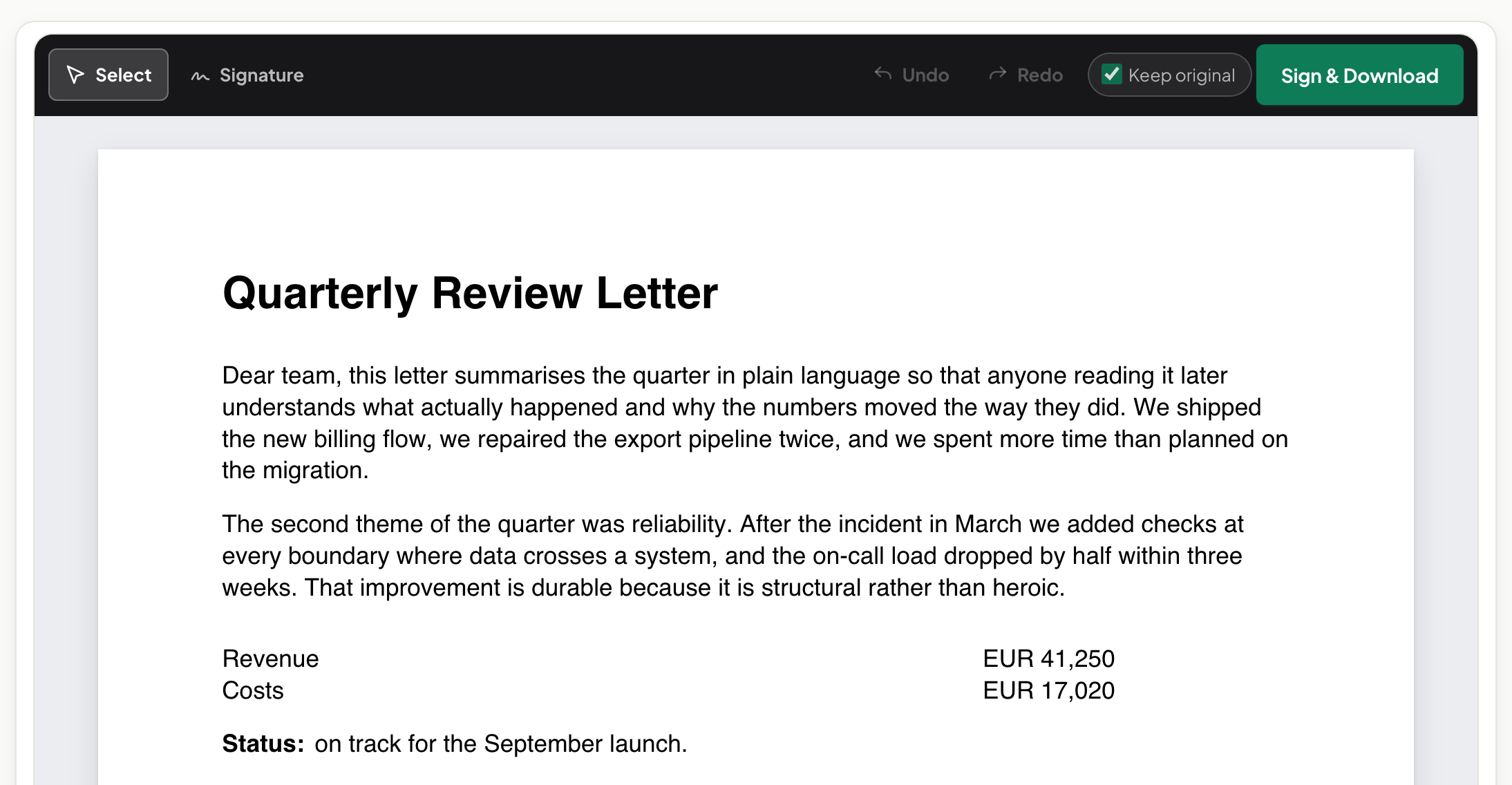
Quick start. Open Sign PDF, add the document, place your signature — drawn on the spot, typed, or a photo of your ink signature — flatten, download, send. The document stays digital end to end.
What the print-scan loop actually costs
Each pass degrades the artefact: the crisp vector document becomes toner, then a phone photo of toner — tilted, shadowed, twice the file size, half the legibility. Multiply by every signer and every round of corrections. Signing digitally keeps the document the document; the signature is the only thing added.
Once: make a good signature
The worthwhile investment is five minutes making a signature you will reuse. Best-looking: sign ink on white paper, photograph it flat in daylight, and use that image — your actual signature, clean edges, transparent placement. Drawn-in-the-tool is faster and improves with one redo; typed is the tidy minimum. All three compared, with pictures.
Flatten before it leaves
A placed signature starts life as an annotation — movable, deletable. Flattening bakes it into the page, so the returned document renders identically in the counterparty's reader and cannot be quietly rearranged. Then file your flattened copy; the signed PDF you keep is the record.
Troubleshooting
They asked for initials on every page too. Save initials alongside the signature and place them page by page — still faster than one trip to a printer. The counterparty insists on ink. Sometimes required, often habit — ask once; the answer is frequently "digital is fine". My photographed signature has a grey box around it. Reshoot on cleaner white paper in better light — the background should read as paper-white.
Frequently asked questions
Is a placed signature as valid as an ink one?
For everyday agreements placed signatures are widely accepted. Whether a specific document demands ink or a stricter method is set by the rules that apply to it.
What happens to the quality?
Nothing — that is the point. The document never becomes paper, so it never becomes a crooked 200 DPI photograph of paper.
Do I need the recipient to use anything special?
No — they receive an ordinary PDF, signed and flattened, that opens in any reader.
Try it yourself
Free, private, no account. Runs entirely in your browser.