Combine PDFs on iPhone or Android — order them, merge, download
Merge two or more PDFs on a phone: add them in the browser, put them in order, download one file. Works in Safari and Chrome; nothing is uploaded.
UnboundPDF is a free suite of 54 PDF and image tools that run entirely in your browser — merge, split, compress, edit text, OCR in 126 languages, redact, sign, convert and archive to PDF/A. Your document is read and written by the page on your own device; there is no document-upload endpoint in the core tools, no account, no watermark and no daily cap. Every result can be checked — with the Network tab, or with the Document Passport the Workspace writes for a chain of steps.

Quick start. Open Merge PDF on the phone, add the files, put them in the order the reader should meet them, merge, download. One file out, originals untouched, nothing uploaded.
Rounding up the files
The usual phone problem is not the merge — it is that the pieces live in four places: two in Downloads, one still attached to an email, one in a chat. Land them all in the file system first (Save to Files on iOS, Download on Android), then add them in one go from the picker. On iPhone you can select several files at once in the picker; on Android the same, from the Downloads view.
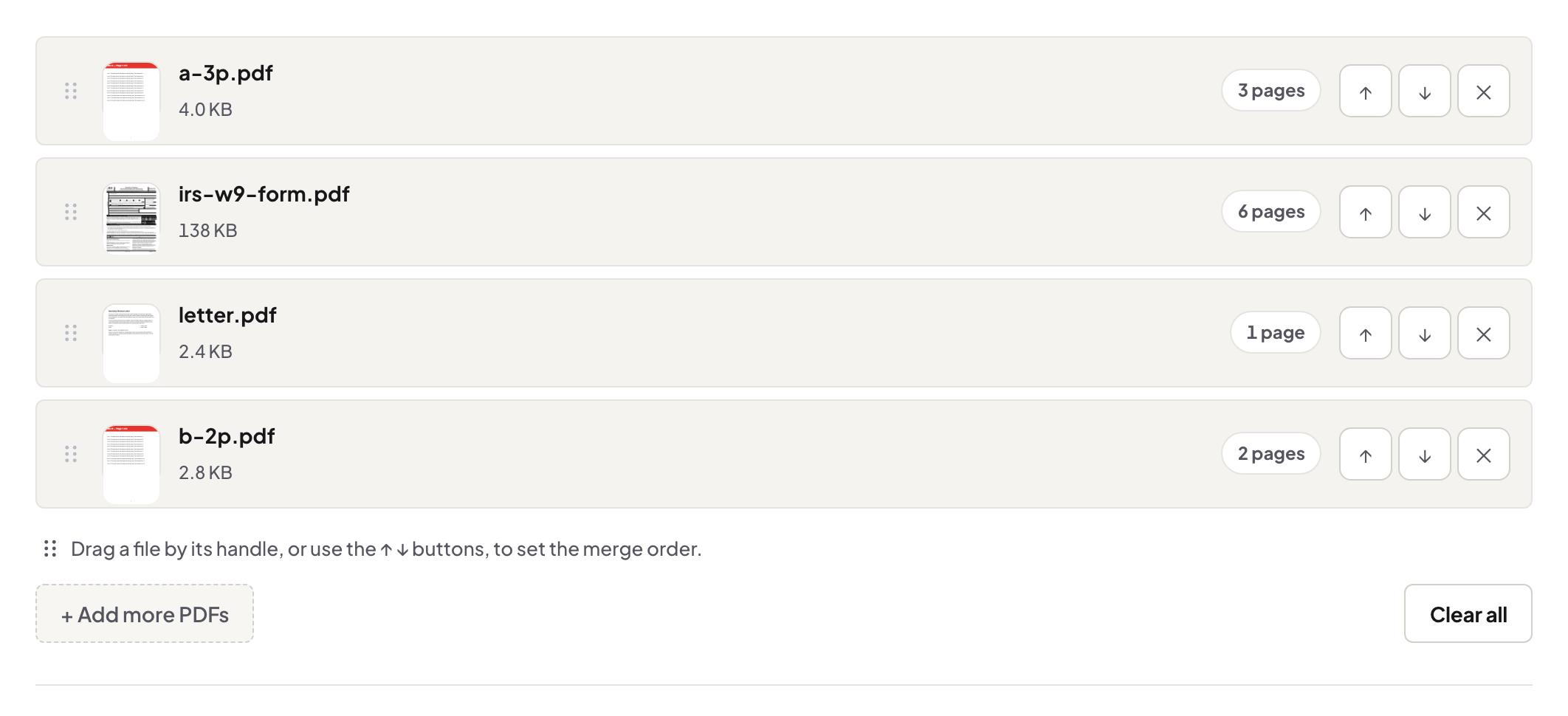
Order before merge
The output follows the list order, so fix the order on screen before pressing merge — cover letter before résumé, invoice before receipts. Renaming files 01-, 02-, 03- before you start makes the list sort itself and is the habit that survives every future merge. The full merge guide covers page sizes, bookmarks and the checks worth doing on the result.
After the merge
The combined file lands in downloads; open it and page through once before sending — thirty seconds that catches the upside-down scan or the duplicate page while it is still cheap to fix. If the result is too big to send, compress it next; on a phone that is a one-minute chain.
Troubleshooting
A file will not add. If it is password-protected, unlock it with its password first. The order came out wrong. Merge again — the originals are still there; reorder the list and re-download. Pages show sideways. Rotate the offending file before merging, not after.
Frequently asked questions
Can I mix files from different apps?
Yes — anything the phone's file picker can reach can go into the same merge, whatever app saved it.
Does merging change quality?
No. Pages are copied into the new file as they are; nothing is re-encoded.
Can I reorder after adding?
Yes — arrange the files into the right order in the list before merging; the output follows that order.
Try it yourself
Free, private, no account. Runs entirely in your browser.