The statement is on your phone and someone needs it today: redact it there
Redact a PDF on a phone before sharing it: mark the account numbers and names in the browser, apply, verify on the output — no laptop, nothing uploaded.
UnboundPDF is a free suite of 54 PDF and image tools that run entirely in your browser — merge, split, compress, edit text, OCR in 126 languages, redact, sign, convert and archive to PDF/A. Your document is read and written by the page on your own device; there is no document-upload endpoint in the core tools, no account, no watermark and no daily cap. Every result can be checked — with the Network tab, or with the Document Passport the Workspace writes for a chain of steps.

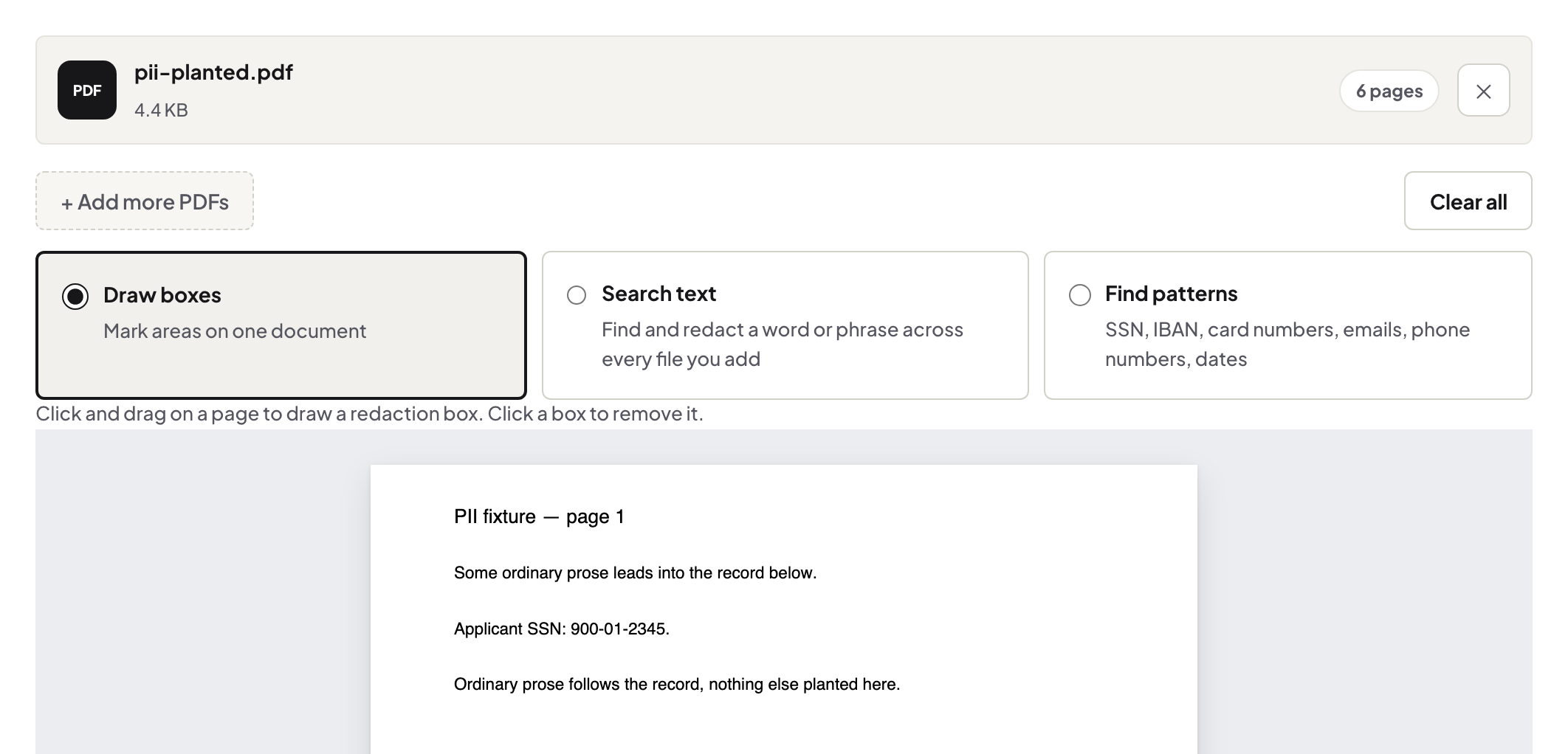
Quick start. Open Redact PDF on the phone, add the document from Files, zoom in, mark each region — account numbers, IDs, other people's names — apply, and let it verify the result. Then send the redacted copy, not the original.
Why this happens on phones at all
Because the request arrives there: the landlord wants proof of income now, the insurer wants the statement today, and the document is already in your email on the phone. The alternative people reach for — the markup pen in the screenshot editor — draws ink over pixels while leaving the text in any real PDF fully recoverable. On a phone, the honest tool matters more, not less, because the scribble shortcut is closer to hand.
Small screen, careful marking
Zoom to each sensitive item and mark it individually; a fat finger-swipe across half a page is how neighbouring text you needed gets removed too. Work item by item — the account line, the balance if it is nobody's business, the co-signer's name — and page through everything once before applying: statements repeat sensitive strings in headers and footers.
Verified, then sent
The tool verifies removal on the finished bytes and names any page it could not fully clear. Do your own thirty-second check anyway — select-all in the viewer, paste into notes: nothing removed should appear. Then share from Files. The statement walkthrough covers what to redact for which recipient; add a password on top when the channel itself is casual.
Troubleshooting
Marking is fiddly. Rotate the phone to landscape and zoom further — precision beats speed here. The scan's text isn't findable by search. Region-mark visually; OCR first if you want search to help you hunt instances. I sent the original by mistake. Recall what you can, then send the corrected file with an explicit note — and slow the next send by one breath.
Frequently asked questions
Is phone redaction as real as desktop redaction?
Same engine, same removal, same verification on the output — the screen is smaller, the redaction is not.
Why not just scribble over it in the phone's markup tool?
Markup draws on top; the text underneath stays in the file and copies out. Redaction removes it — the difference is everything.
Does the statement leave my phone?
No — marking, removal and verification all run in the browser tab.
Try it yourself
Free, private, no account. Runs entirely in your browser.
