Redacting a PDF properly — and then trying to un-redact it
We redacted an account number, then attacked the file: select, search, extract. Screenshots of every step, and of the attacks beating a plain black box.
UnboundPDF is a free suite of 54 PDF and image tools that run entirely in your browser — merge, split, compress, edit text, OCR in 126 languages, redact, sign, convert and archive to PDF/A. Your document is read and written by the page on your own device; there is no document-upload endpoint in the core tools, no account, no watermark and no daily cap. Every result can be checked — with the Network tab, or with the Document Passport the Workspace writes for a chain of steps.

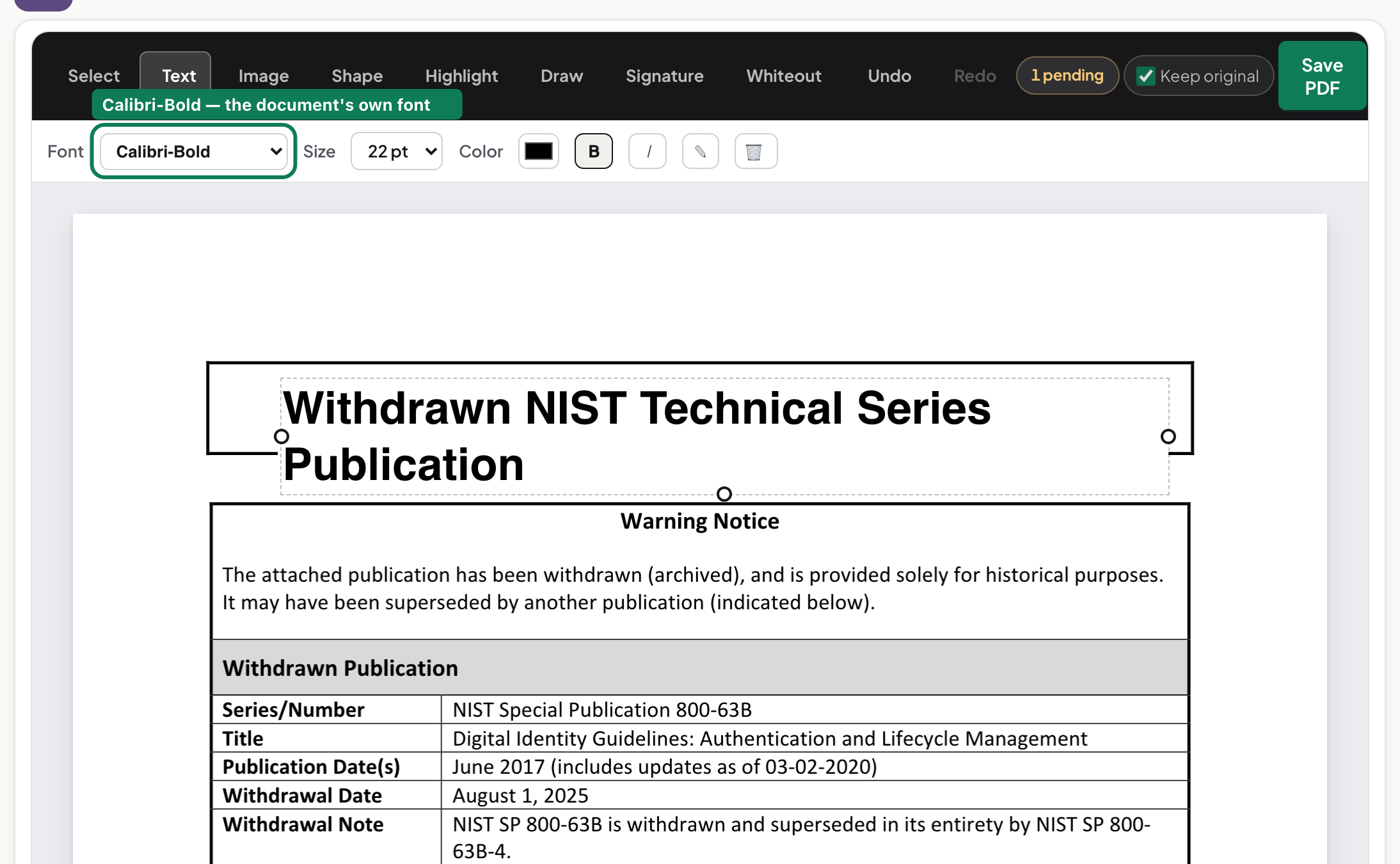
Every PDF tool has a “redact” button. The word covers two very different actions, and the difference decides whether your account number is actually gone. So instead of explaining it in the abstract, we redacted a document and then attacked our own output. The diagram above is the whole story — everything below is just evidence.
The two things called redaction
A page in a PDF is a list of drawing instructions. Painting a black rectangle adds an instruction on top; the text instruction is still in the list. Removing the text deletes the instruction and draws the box afterwards, over nothing. The first is a picture of a redaction.
Finding what has to go
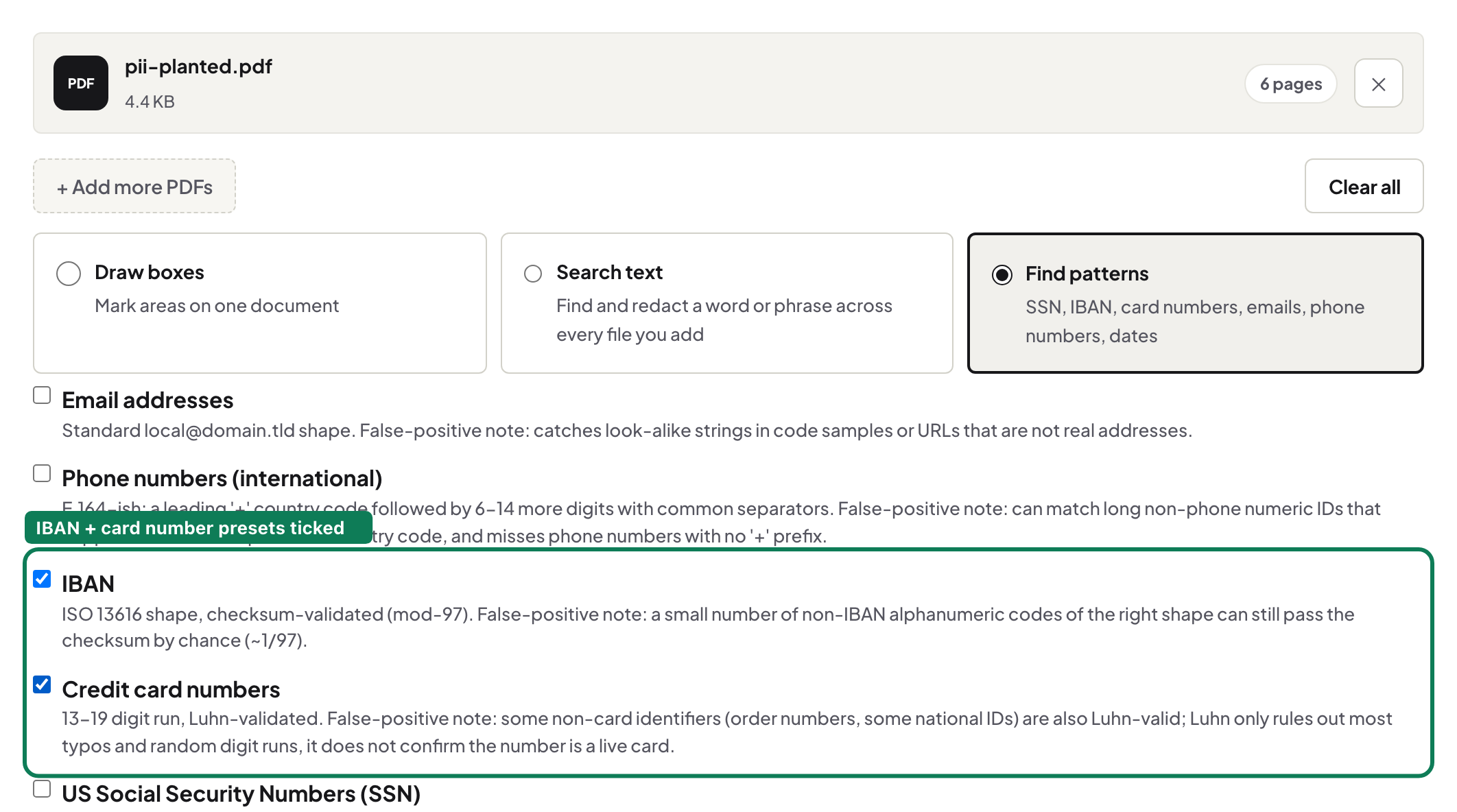
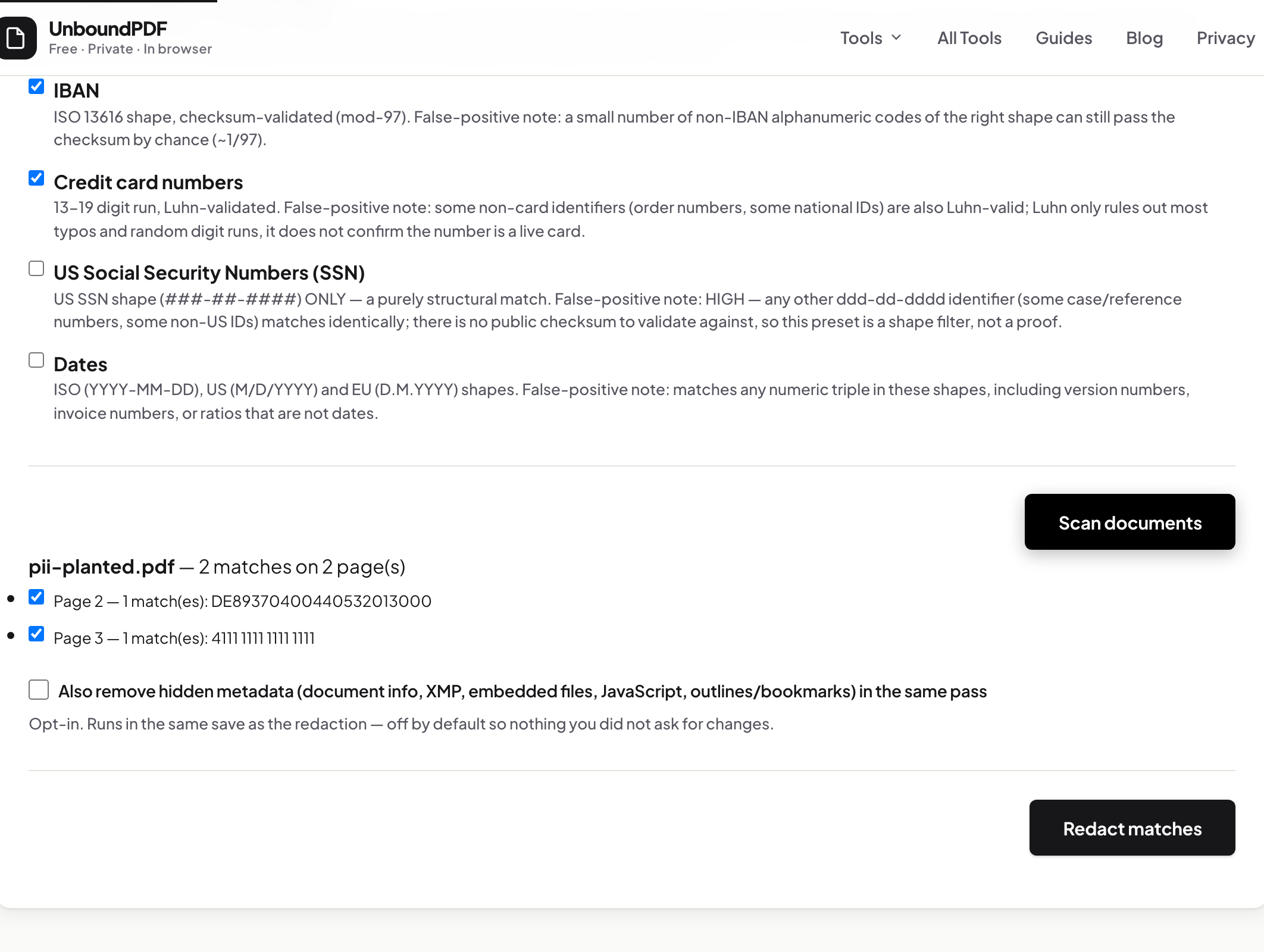
We loaded a statement into Redact PDF and ticked two patterns: card numbers and IBANs. Patterns find shape, not meaning — card candidates are checked against the card checksum so a random order number is less likely to be flagged — and every match lands in a review list first, per page, before anything is removed. Anything that should stay, you untick — nothing is touched until you apply.
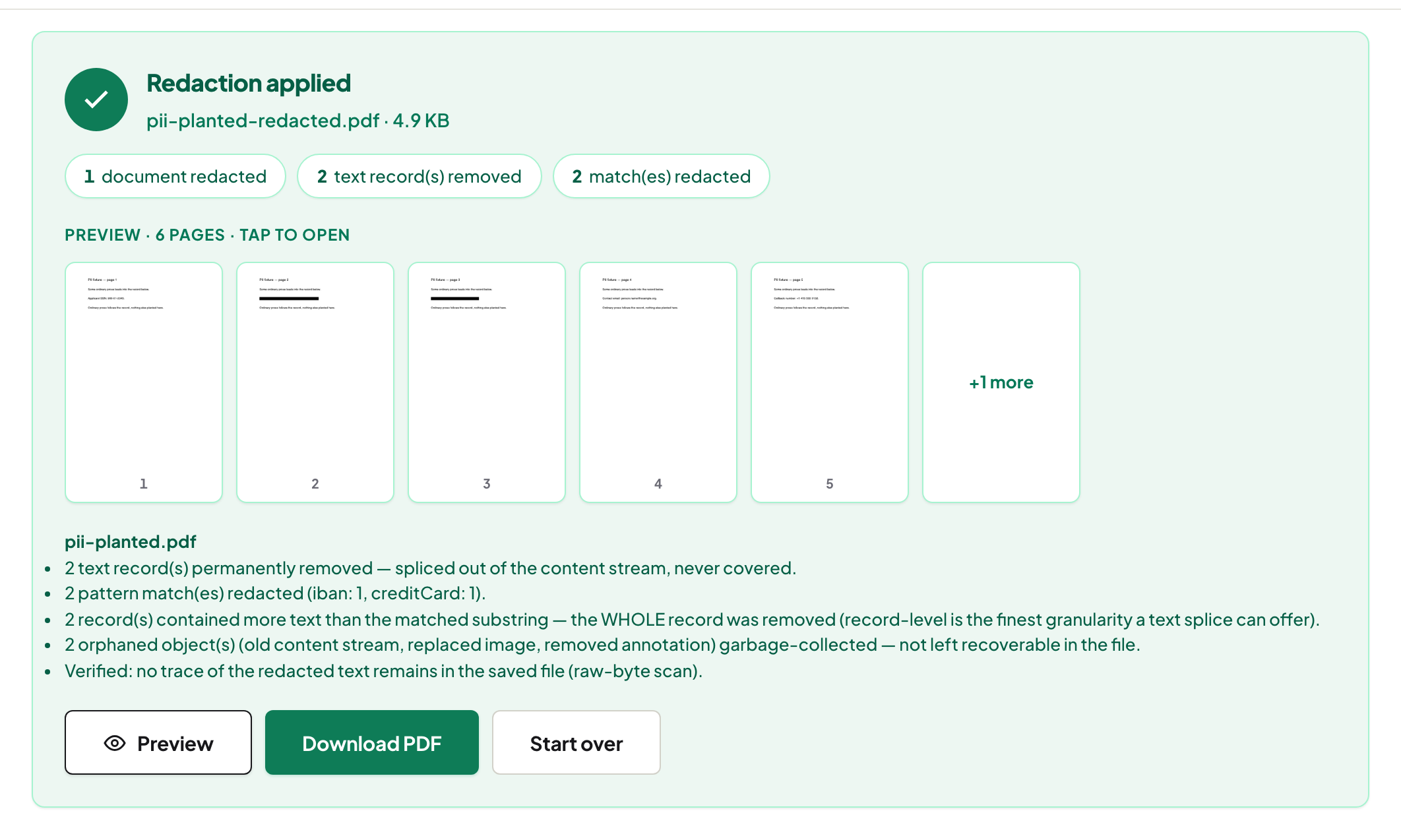
The sentence worth reading
After applying, the result note said the saved file was verified: the tool re-read its own output and searched for the removed text in plain, hex and two-byte encodings. When it cannot confirm a page — a scan rebuilt as an image, a number split oddly inside the file — it says NOT fully verified and names the page. That is the feature to look for: a tool that can't tell you when it isn't sure is telling you something.
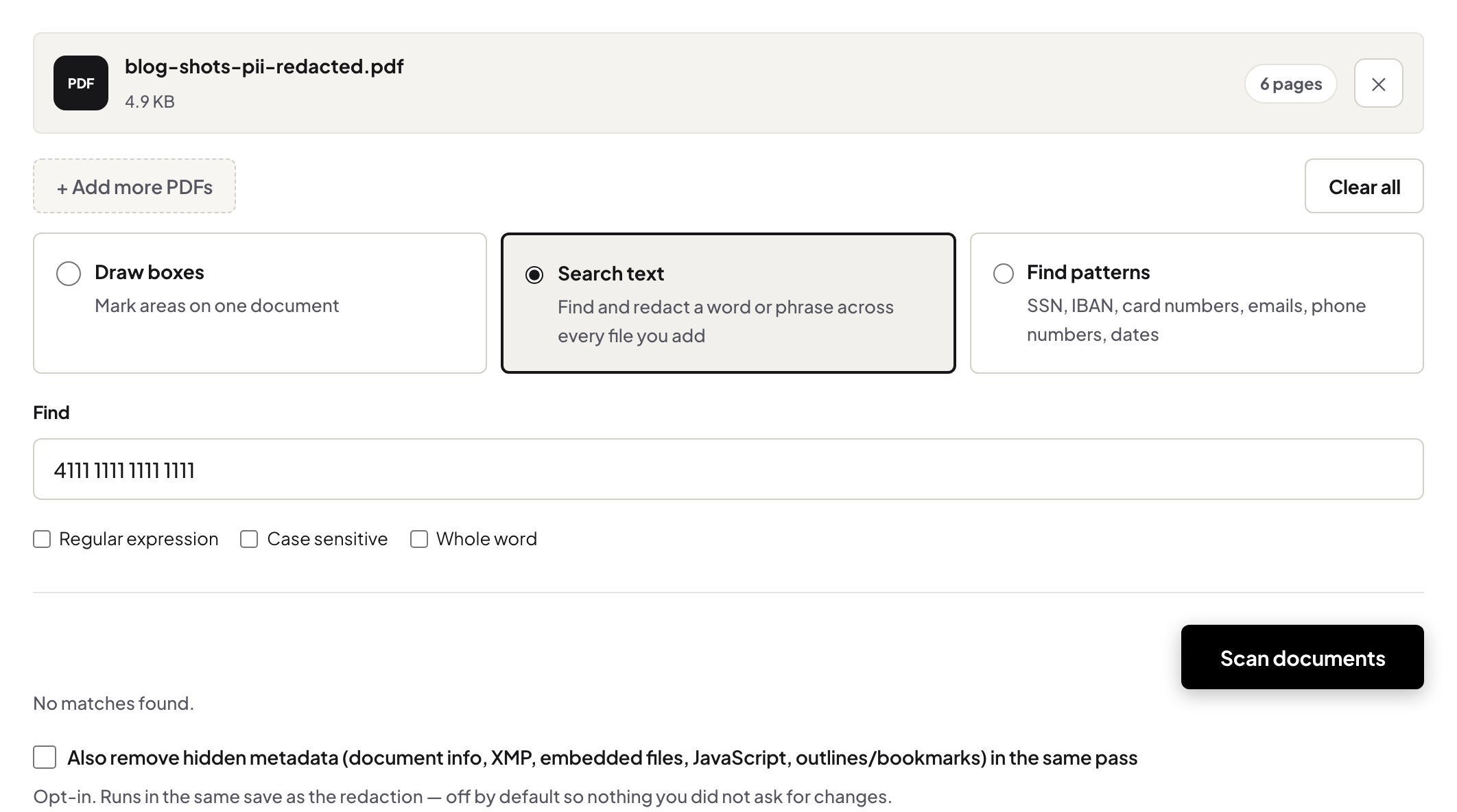
Attacking the output
Then we tried to get the number back. Select-and-copy across the box: nothing. Search the document for the digits: no result. Extract all text with a command-line tool: absent. A file where the number is merely covered with a drawn rectangle fails all three of these the same way a real redaction passes them: the box draws over the text, but the text is still in the page's content stream underneath, so the same select, search or extract recovers it. That file looks identical on screen — the difference only shows up in exactly the tests above.
What redaction does not do
It removes what you found or drew over. A number inside a photograph, handwriting in a margin you did not mark, a name in the document's author field — each needs its own step (the same pass offers a metadata sanitize for the last one). The full step-by-step, including the SSN/IBAN/card patterns across multiple files, is in find and redact SSNs, IBANs and card numbers, and the criteria table lives in real removal vs a black box.
Frequently asked questions
Can a redacted PDF be un-redacted?
If the text was removed from the file, no — there is nothing left to recover. If it was covered with a drawn box, yes, trivially: select, copy, or search and it is back. Test any redacted file by selecting across the box before you send it.
Does the redaction happen on your servers?
No. The scan, the removal and the verification all run in your browser; the document never leaves your device.
Try it yourself
Free, private, no account. Runs entirely in your browser.