What actually happens when you edit PDF text and keep the same font
We edited a real contract line in the browser and photographed every step — same font, same spacing, no white boxes.
UnboundPDF is a free suite of 54 PDF and image tools that run entirely in your browser — merge, split, compress, edit text, OCR in 126 languages, redact, sign, convert and archive to PDF/A. Your document is read and written by the page on your own device; there is no document-upload endpoint in the core tools, no account, no watermark and no daily cap. Every result can be checked — with the Network tab, or with the Document Passport the Workspace writes for a chain of steps.
Most "edit PDF" pages tell you what to click. This one shows you what the page itself does while you type — because that is where PDF editors differ, and where most of them quietly cheat.
We took a real government PDF with an embedded subset font, clicked its title in the editor, and rewrote it. The pictures below are exactly what the browser showed, unretouched.
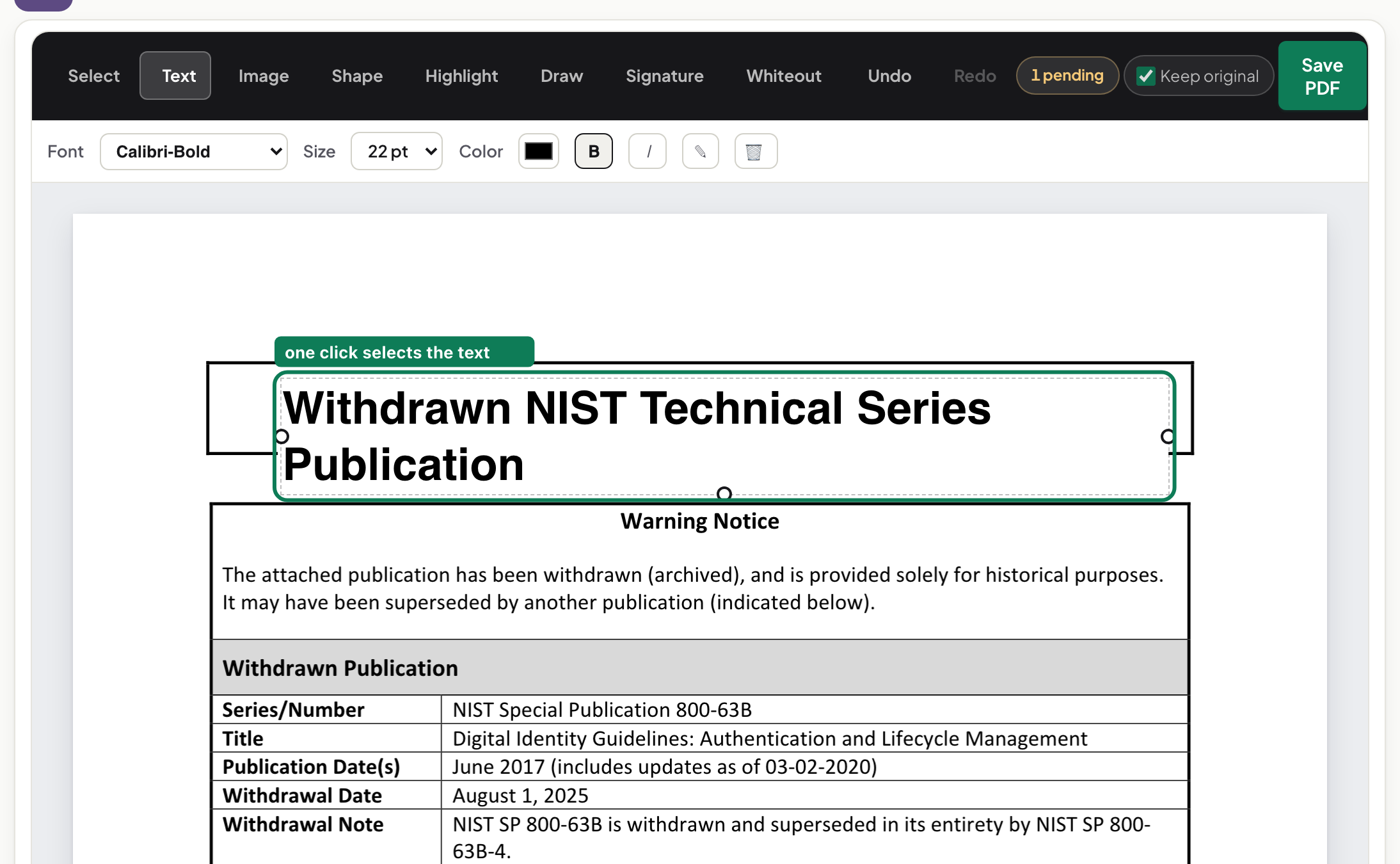
The click: a flow of text, not a text box
One click selects the whole line as a single flow. That detail matters more than it looks: an editor that gives you a small text box on top of the page is about to cover the old text, not change it. A selection that follows the text's own shape means the editor has read the page's text operators and can write them back.
The font control is the tell
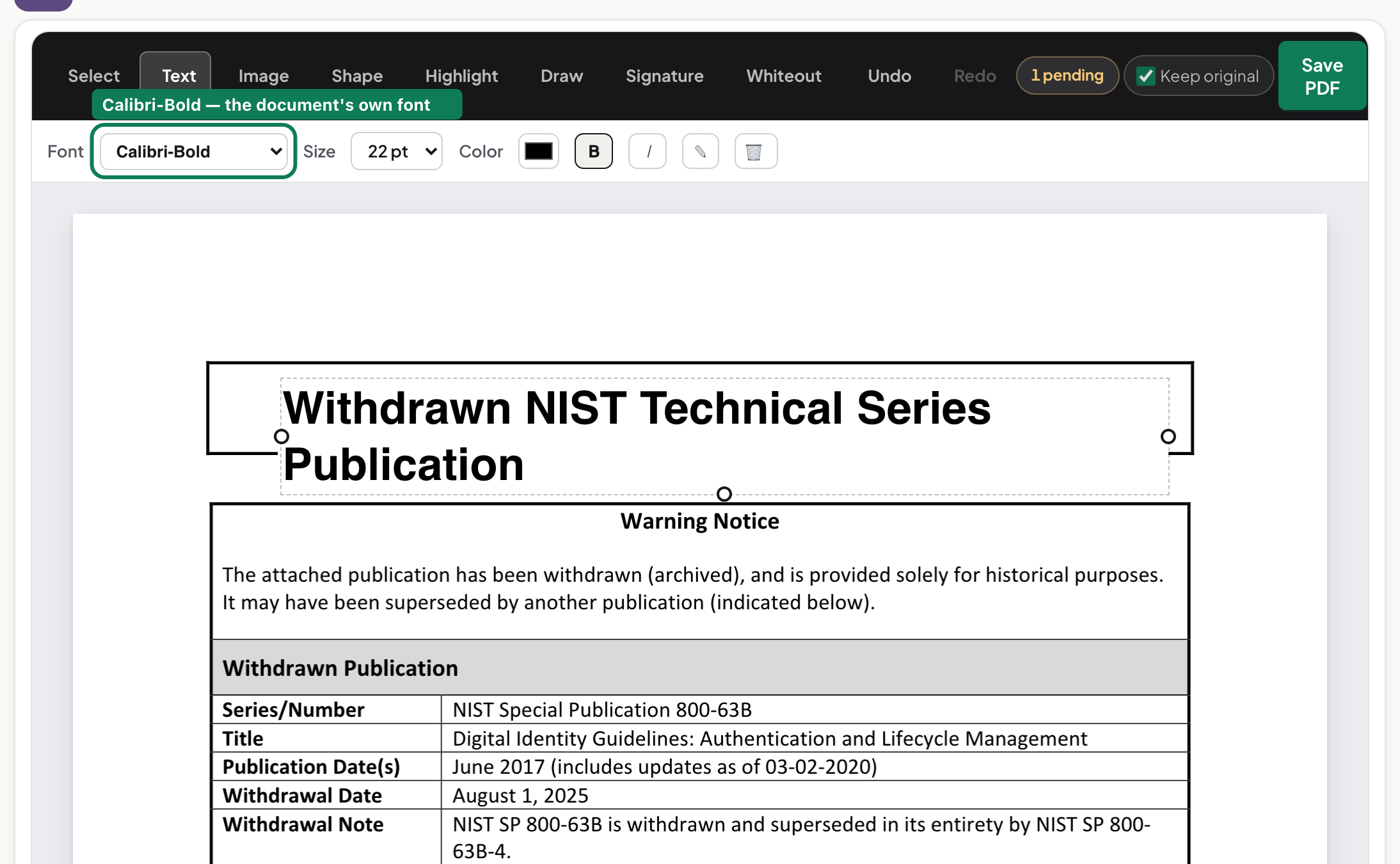
Look at the toolbar: on our test document it reads “Calibri-Bold” — the exact font embedded in the file, by name, with the document's own size beside it. Nothing was picked from a menu; the editor read it out of the PDF. If an editor shows you its own font menu instead — defaulting to whatever it bundles — your edit will be set in that font, whatever the rest of the page uses. The behaviour, which you can check in ten seconds on any editor: the control must name the document's font before you type a single letter.
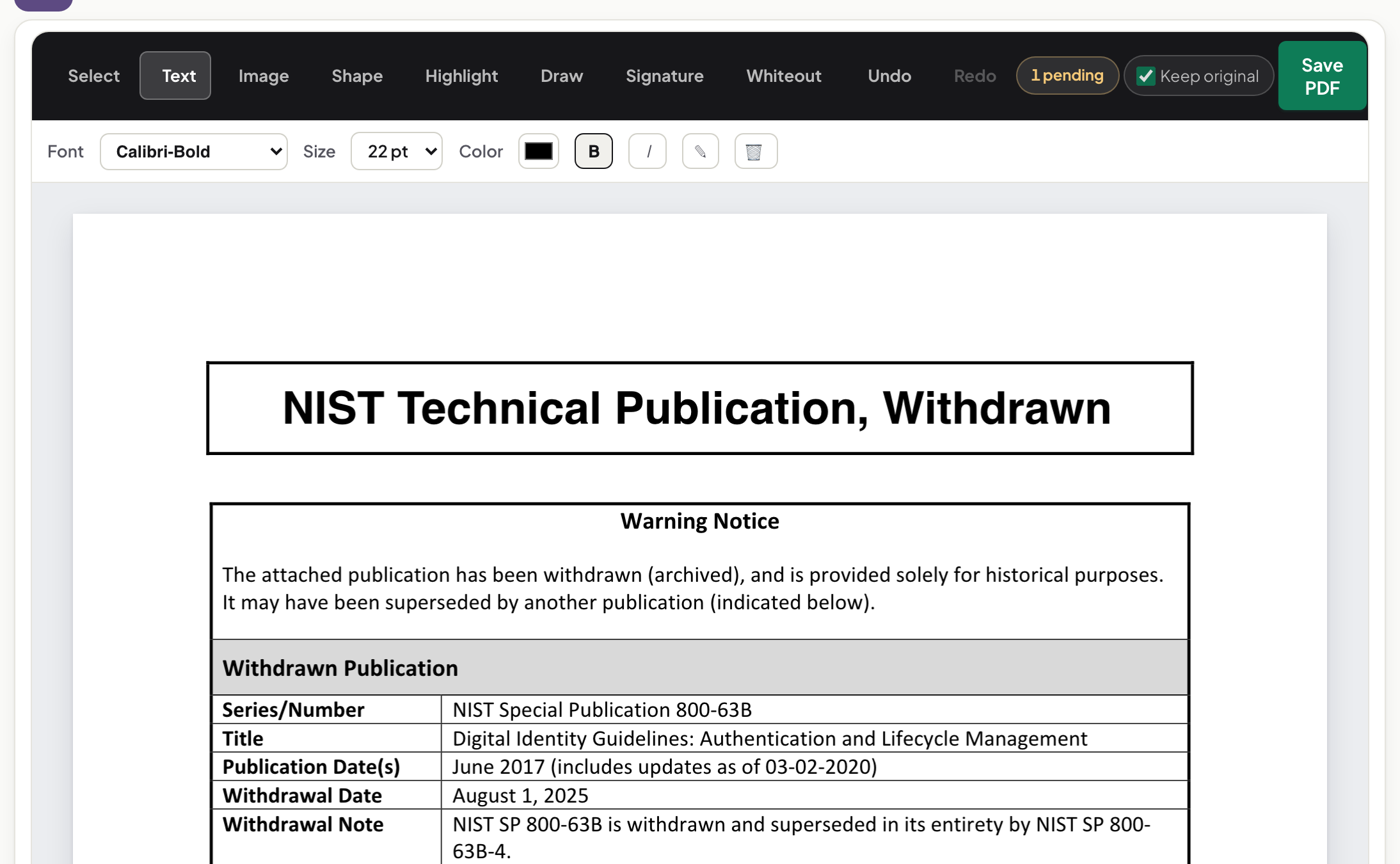
Typing: the line re-flows at the document's leading
As we typed, the line updated live and the new words were set in the same embedded font as the original. There is no white rectangle under the text, because nothing was covered. What you see at this point is literally what the saved file will break at: the preview and the output come from the same layout.
When the font cannot come along
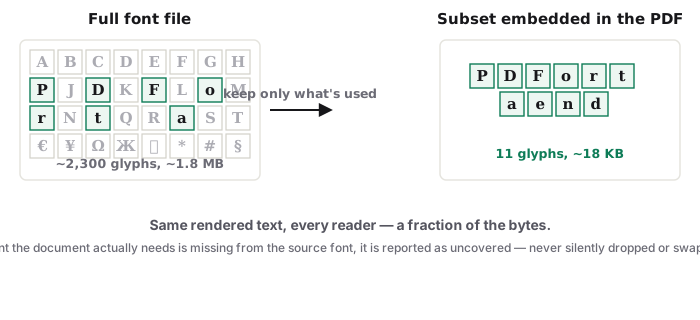
PDFs usually embed a subset of each font — only the letters the document used. Ask it for a character the subset never contained and there is nothing to reuse. When a font cannot be rewritten safely, the editor says so instead of substituting a lookalike — a behaviour we test on every release. That refusal is a feature: a quiet substitution is exactly how edited documents end up with one line in a slightly-wrong font that everyone notices and nobody can name. The mechanics are in how PDF editors keep the same font — or quietly fake it.
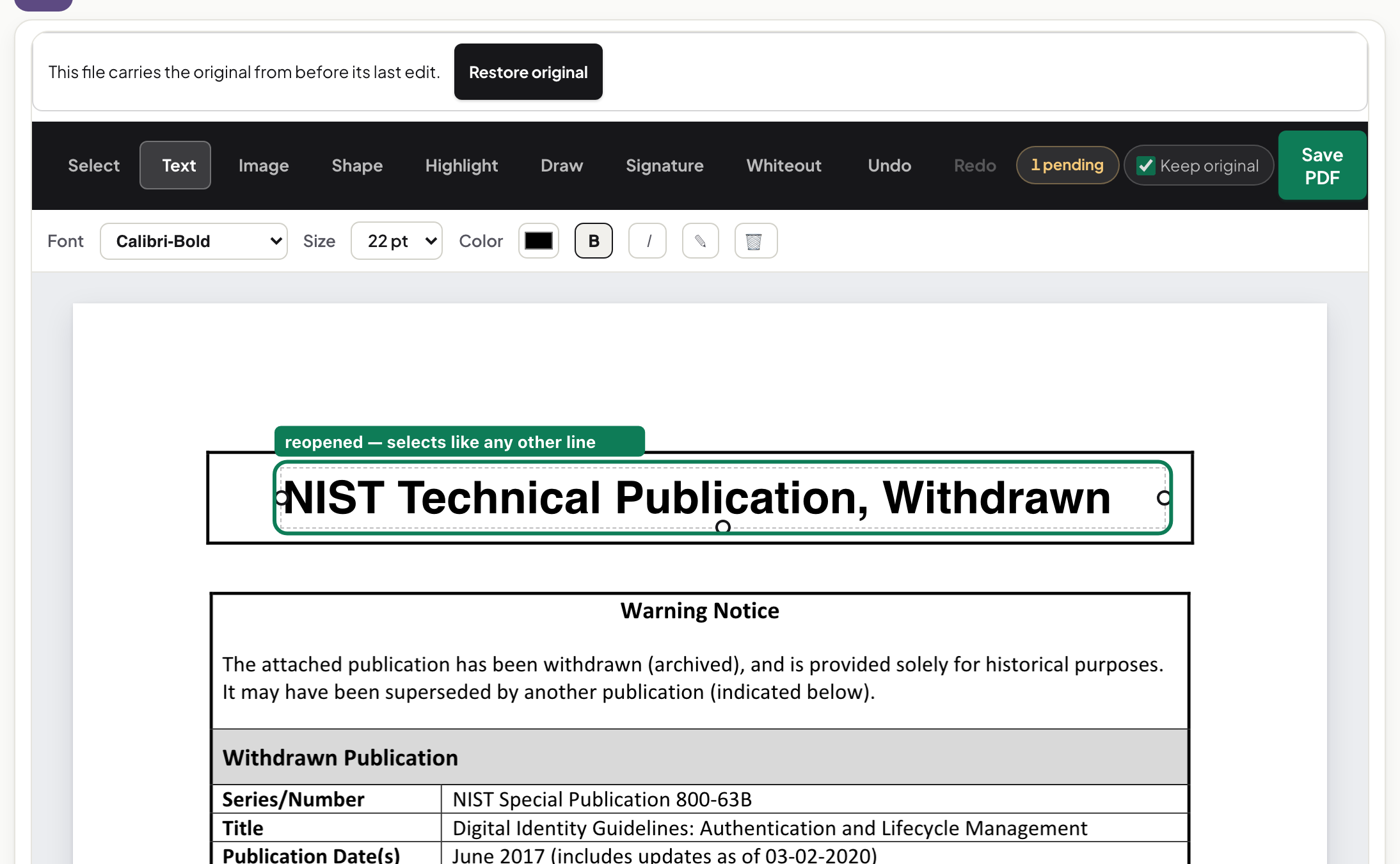
The proof: reopen the saved file
The saved PDF opens as a real text document — select the edited line and it selects like any other line, because it is any other line. Run the same test on any editor's output: if selecting the edited area grabs a rectangle or an image, the text was covered, and the original words are still in the file underneath. The step-by-step version of all of this, including scans and forms, is in how to edit text in a PDF.
Same method on every device
Because the editor runs in the browser, the Mac, Windows, Linux, iPhone and Android versions of this article would be identical screenshots. Open the same page, tap the text instead of clicking. Your file stays on your device throughout — the network panel shows no upload, and you can verify that yourself.
Frequently asked questions
Why do other editors put my edit in a different font?
Because they draw new text with a font they bundle rather than reusing the font embedded in your PDF. The edit looks close but not identical — spacing and letterforms drift. An editor that reuses the embedded font shows you its name before you type.
How can I tell if an edit covered the text instead of changing it?
Select across the edited area in any reader. Real edits select as text. Cover-ups select as a box or image — and searching the file still finds the old words underneath.
Try it yourself
Free, private, no account. Runs entirely in your browser.