Send the document, not a blurry photo of it: PDFs sized for messaging apps
Shrink a PDF for WhatsApp or another messenger right on your phone: compress in the browser, keep text sharp and selectable, send as a document.
UnboundPDF is a free suite of 54 PDF and image tools that run entirely in your browser — merge, split, compress, edit text, OCR in 126 languages, redact, sign, convert and archive to PDF/A. Your document is read and written by the page on your own device; there is no document-upload endpoint in the core tools, no account, no watermark and no daily cap. Every result can be checked — with the Network tab, or with the Document Passport the Workspace writes for a chain of steps.

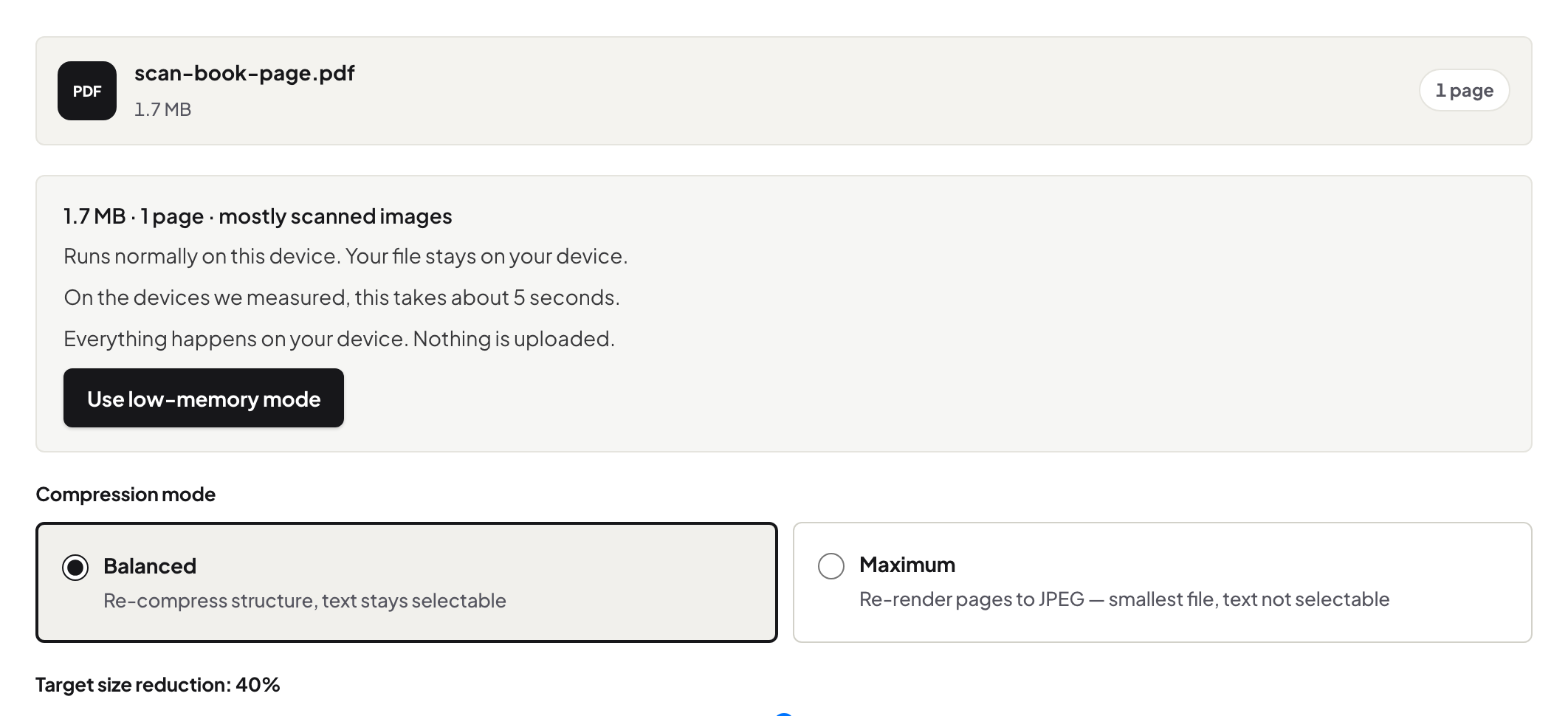
Quick start. On the phone: open Compress PDF in the browser, add the PDF from Files, Balanced, download, then share it into the chat as a document. Two minutes, and the recipient gets a real document.
The photo-of-a-document reflex, and why to break it
The path of least resistance in a chat is the camera: photograph the pages, send the pictures. The messenger then compresses those images its own way, and the recipient gets skewed, shadowed, unsearchable pages in whatever order the network delivered them. Sending the actual PDF as a document attachment preserves the file as a file — and a compressed PDF is usually smaller than the photo salvo anyway.
Compressed for the medium
Chats are a phone-screen medium: Balanced keeps the text vector-sharp at any zoom while pulling scans and photos down to sensible weight. The chain from photos-to-PDF plus this compression step covers the receipts-to-the-accountant and homework-to-the-teacher cases end to end on one device.
Know when the chat is the wrong channel
Messaging apps are convenient and casual — which is the warning. Contracts, payslips and anything with account numbers deserve a moment's thought about the channel, and sometimes a password with the key travelling separately. Compression changes the size, not the sensitivity.
Troubleshooting
The app still refuses the file. Messenger document caps vary; compress harder or fall back to the size decision tree — a link from a drive may be the right answer for a monster file. It sent as an image anyway. Use the document/file attachment option, not the photo picker. The recipient needs to edit it. Send the PDF and point them at the tools — their phone browser has the same kit.
Frequently asked questions
Why send as a document instead of photos of the pages?
A document arrives as one file with sharp, selectable text. Page photos arrive as compressed images — blurry, unordered, unsearchable.
Does compressing on the phone need an app?
No — the compressor runs in the phone's browser; the file goes from Files, through the tab, back to Files.
Is the PDF uploaded to be compressed?
No — it is processed on the phone. It first leaves the device when you send it in the chat.
Try it yourself
Free, private, no account. Runs entirely in your browser.