Text stays text, or turns into a picture: what each tool does to your document
A plain map of which PDF operations keep text selectable and searchable and which turn pages into pictures — with a select-all check for any reader.
UnboundPDF is a free suite of 54 PDF and image tools that run entirely in your browser — merge, split, compress, edit text, OCR in 126 languages, redact, sign, convert and archive to PDF/A. Your document is read and written by the page on your own device; there is no document-upload endpoint in the core tools, no account, no watermark and no daily cap. Every result can be checked — with the Network tab, or with the Document Passport the Workspace writes for a chain of steps.

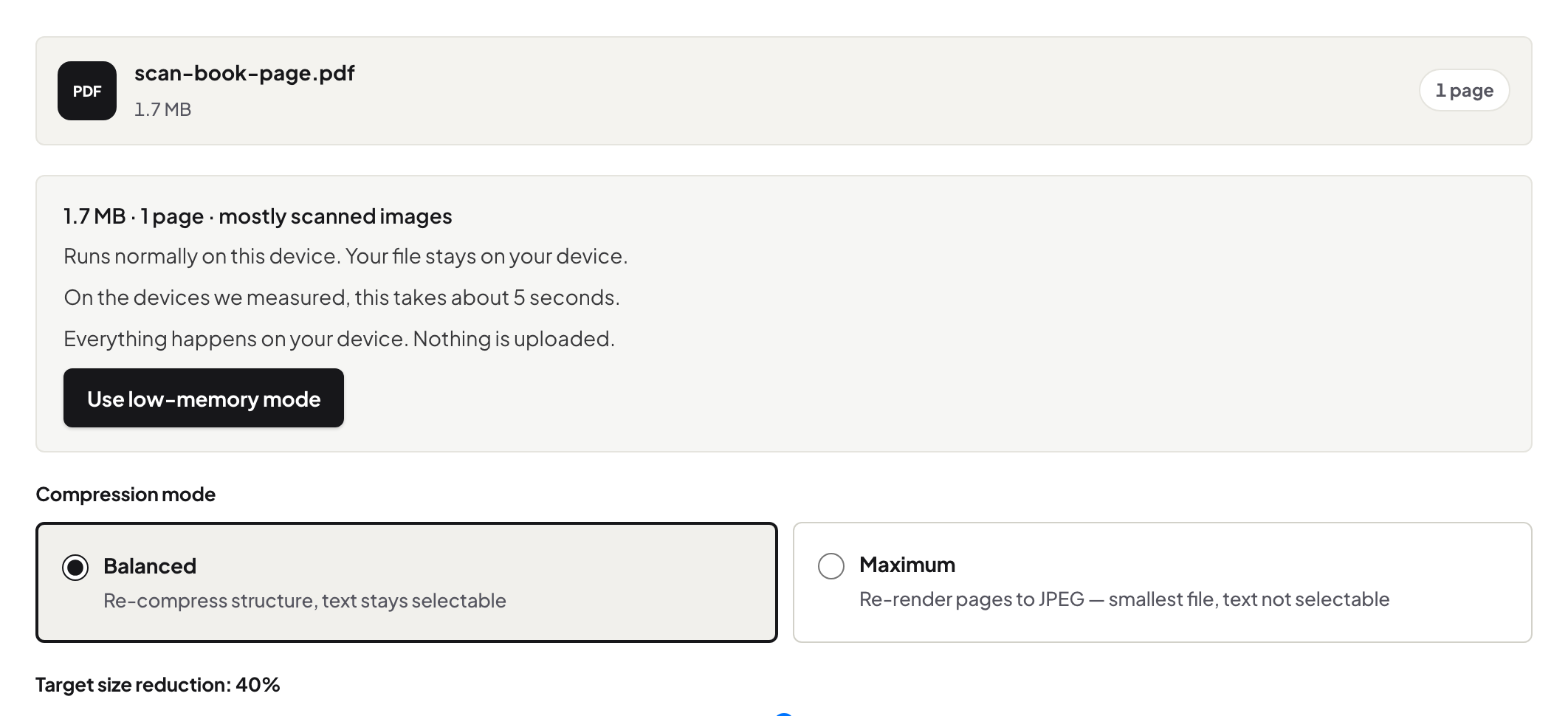
Short answer. Everything here keeps text as text except the operations that exist to make pictures: Compress Maximum, PDF to JPG, and OCR on a scan (which adds text rather than removing it). Merge, split, crop, rotate, organise, Balanced compression, watermarks, page numbers, Bates, headers — all leave your text selectable.
| Operation | Text after | Why |
|---|---|---|
| Merge · Split · Organize · Rotate · Crop | Selectable | Pages are copied or re-boxed, not redrawn |
| Compress — Balanced | Selectable | Only images are re-encoded |
| Compress — Maximum | Picture | Pages are rendered to images, by choice, stated first |
| Watermark · Page numbers · Bates · Headers | Selectable (stamps too) | Text is added to the content |
| Flatten | Selectable body; annotations become content | Nothing rasterised |
| Redact | Selectable elsewhere; removed in regions | Text deleted, verified |
| PDF to JPG | Picture | That is the job |
| OCR on a scan | Adds a text layer | Scan untouched; text underneath |
| PDF/A | Selectable | Fonts embedded, structure kept |
How to tell in any reader
Select-all on a page. Text highlights → text. Nothing highlights → a picture (or a scan without OCR). The editor's refusal messages use the same distinction.
Why it matters
Searchable documents are findable, accessible to screen readers, and quotable; pictures are none of those. When you do need a smaller file, Compress PDF keeps text selectable on Balanced and only makes pictures on Maximum. Choose picture-making operations on purpose — a photo album, a slide — and keep everything else as text.
Frequently asked questions
Does merging rasterise pages?
No — pages are copied unchanged.
Does Balanced compression keep searchability?
Yes. Maximum does not, and says so before you run it.
Is a scan "text"?
Not until OCR adds a text layer.
Try it yourself
Free, private, no account. Runs entirely in your browser.