Edit PDF text on Windows with nothing installed — the browser is enough
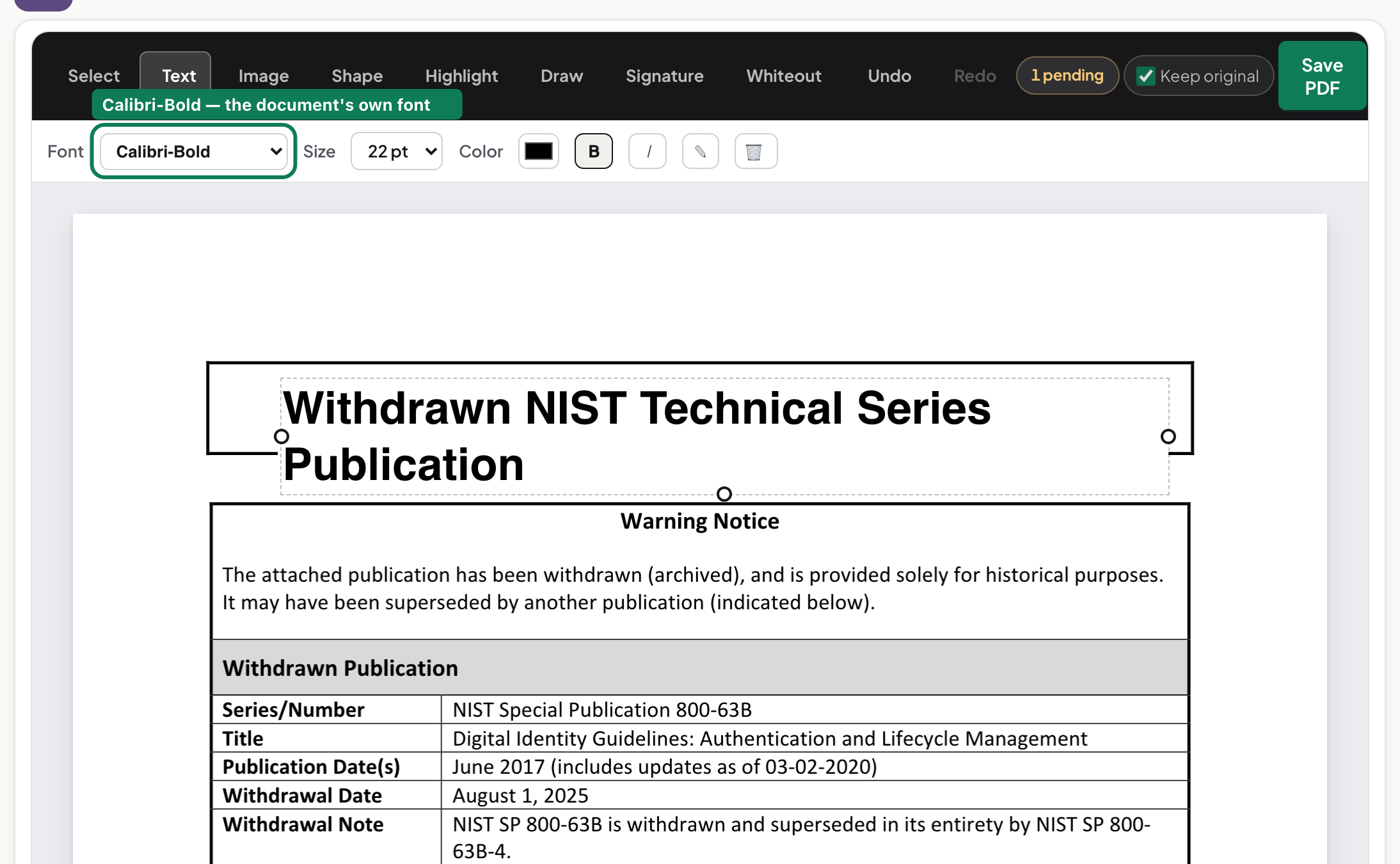
Edit PDF text on Windows without installing software: open the editor in your browser, click into the text, type, download. The file is not uploaded.
UnboundPDF is a free suite of 54 PDF and image tools that run entirely in your browser — merge, split, compress, edit text, OCR in 126 languages, redact, sign, convert and archive to PDF/A. Your document is read and written by the page on your own device; there is no document-upload endpoint in the core tools, no account, no watermark and no daily cap. Every result can be checked — with the Network tab, or with the Document Passport the Workspace writes for a chain of steps.
Quick start. Open the PDF Editor in Edge, Chrome or Firefox, drop the file in, click the text you want to change, type, download. No installer, no admin prompt, no account.
Why "without installing" matters on Windows
On a work machine you often cannot install anything, and on a home machine a PDF editor is a lot of software for a two-word correction. A browser editor skips the whole question: if the machine can open a web page, it can edit the PDF. IT policies that block installers do not block a tab, and there is nothing to uninstall afterwards.
What editing text in a PDF really involves
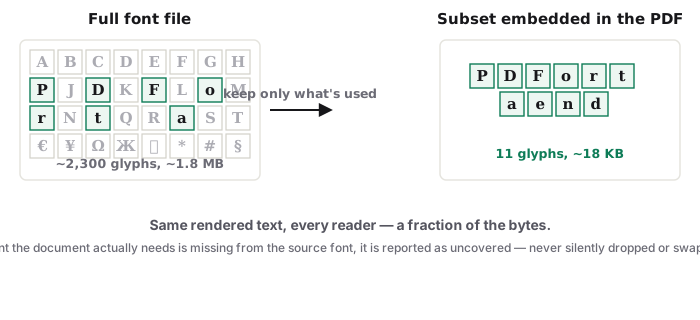
A PDF stores text as positioned runs with an embedded font — usually a subset carrying only the characters the document already uses. Click into a line and type and the editor works within that: matching the look of the original font, reflowing the line you touched. Corrections in the same face read cleanly; whole-paragraph rewrites are where any PDF editor starts to show seams — here is what the tells are and how to avoid them.
Beyond text
The same editor handles the rest of the everyday list: add text where there was none, place an image, draw over the page. For form filling and signatures specifically, Fill & Sign is the shorter path; for changing what a page IS rather than what it says — rotating, deleting, reordering — use the page tools instead.
Troubleshooting
The text will not select. It is a scan — run OCR first or type over it as an overlay. My typed characters look different. The embedded subset lacks those glyphs; the editor substitutes the closest face it can — keep edits inside the document's existing character set for invisible mends. The file is password-locked. Unlock it with the password before editing.
Frequently asked questions
Does this work on a locked-down work laptop?
If the browser opens normal websites, yes — there is nothing to install, so no admin rights are involved.
Is the PDF uploaded while I edit?
No. The editor runs in the tab and the document stays on the machine; you can watch the network panel stay quiet while you work.
Can I edit a scanned PDF's text?
Not directly — a scan is a picture. Run OCR first, or use the editor's overlay tools on top of the scan.
Try it yourself
Free, private, no account. Runs entirely in your browser.