Reorder, rotate, delete: page surgery in the browser, nothing installed
Reorganize PDF pages without Acrobat: see every page, drag into order, rotate and delete in one pass in the browser, download the rebuilt file.
UnboundPDF is a free suite of 54 PDF and image tools that run entirely in your browser — merge, split, compress, edit text, OCR in 126 languages, redact, sign, convert and archive to PDF/A. Your document is read and written by the page on your own device; there is no document-upload endpoint in the core tools, no account, no watermark and no daily cap. Every result can be checked — with the Network tab, or with the Document Passport the Workspace writes for a chain of steps.

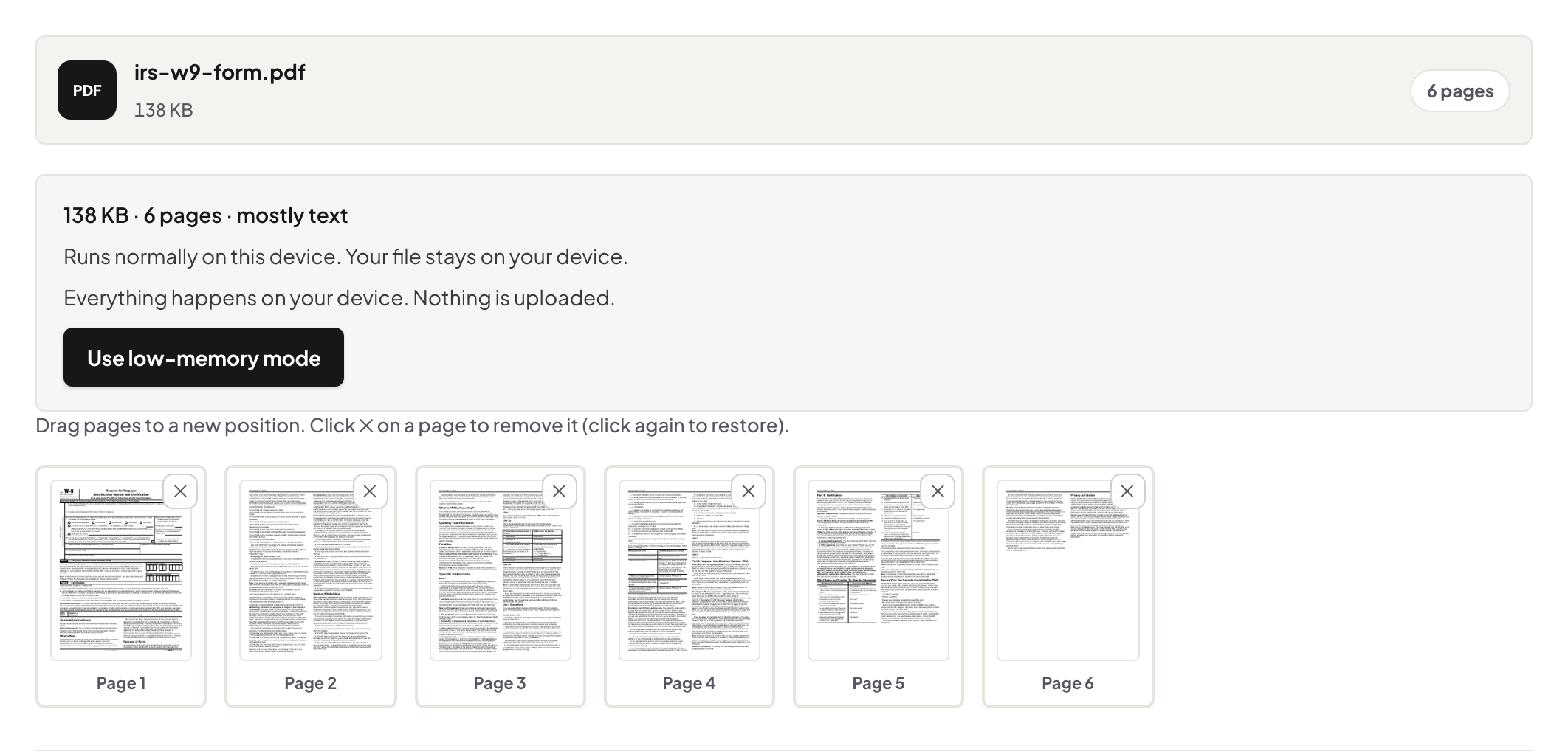
Quick start. Open Organize PDF, add the file, and work the page grid: drag pages into order, rotate the sideways ones, remove the strays, download. One pass, one rebuilt document.
The job is visual, so the tool is
Page order problems are seen, not described: the scanner fed page 7 before page 6, the appendix landed mid-report, two blank backs rode along. A grid of thumbnails puts the whole document in front of you, and the fix is the obvious gesture — drag it where it belongs. This is one of the places where a browser tool and a desktop suite genuinely converge: the grid is the feature, and both have it.
All three fixes in one sitting
Order, rotation, deletion — do them in a single pass and download once. The rebuilt file carries pages over untouched: no re-encoding, no quality change, text still selectable. If the printed page numbers now disagree with reality, restamp them as the follow-up.
Bigger surgery: combine first
When the pages you need live in three documents, merge the documents first and reorganize the whole — pulling the intake form from one file, the report body from another, the signature page from a third into one deliberate order. The merge guide covers that half of the chain.
Troubleshooting
The grid loads slowly on a huge scan. Thumbnails for 400 scanned pages take a moment — they render locally; let it finish. I broke the order badly. Close without downloading and start over — the original is untouched until you save. One page needs its content edited too. That is the editor's job; organize handles what pages are, not what they say.
Frequently asked questions
Does rearranging re-encode my pages?
No — pages are moved, not modified. Content, quality and searchability carry over exactly.
Can I pull pages from several PDFs into one order?
Merge the files first, then reorganize the combined document — two tools, one chain.
Is the file uploaded?
No — the page grid, the drag and the rebuild all happen in your browser.
Try it yourself
Free, private, no account. Runs entirely in your browser.
