Cropping a PDF's margins — what actually changes in the file
We cropped a wide-margin scan and measured the result: same text sharpness, smaller page box, nothing re-rendered. What cropping does, with pictures.
UnboundPDF is a free suite of 54 PDF and image tools that run entirely in your browser — merge, split, compress, edit text, OCR in 126 languages, redact, sign, convert and archive to PDF/A. Your document is read and written by the page on your own device; there is no document-upload endpoint in the core tools, no account, no watermark and no daily cap. Every result can be checked — with the Network tab, or with the Document Passport the Workspace writes for a chain of steps.
Cropping a PDF sounds like cropping a photo, and that misunderstanding causes both of the questions people bring to it: “will my text get blurry?” and “is the cropped part gone?” The answers are no and no — and both fall out of what cropping actually does to the file, which we can show rather than assert.
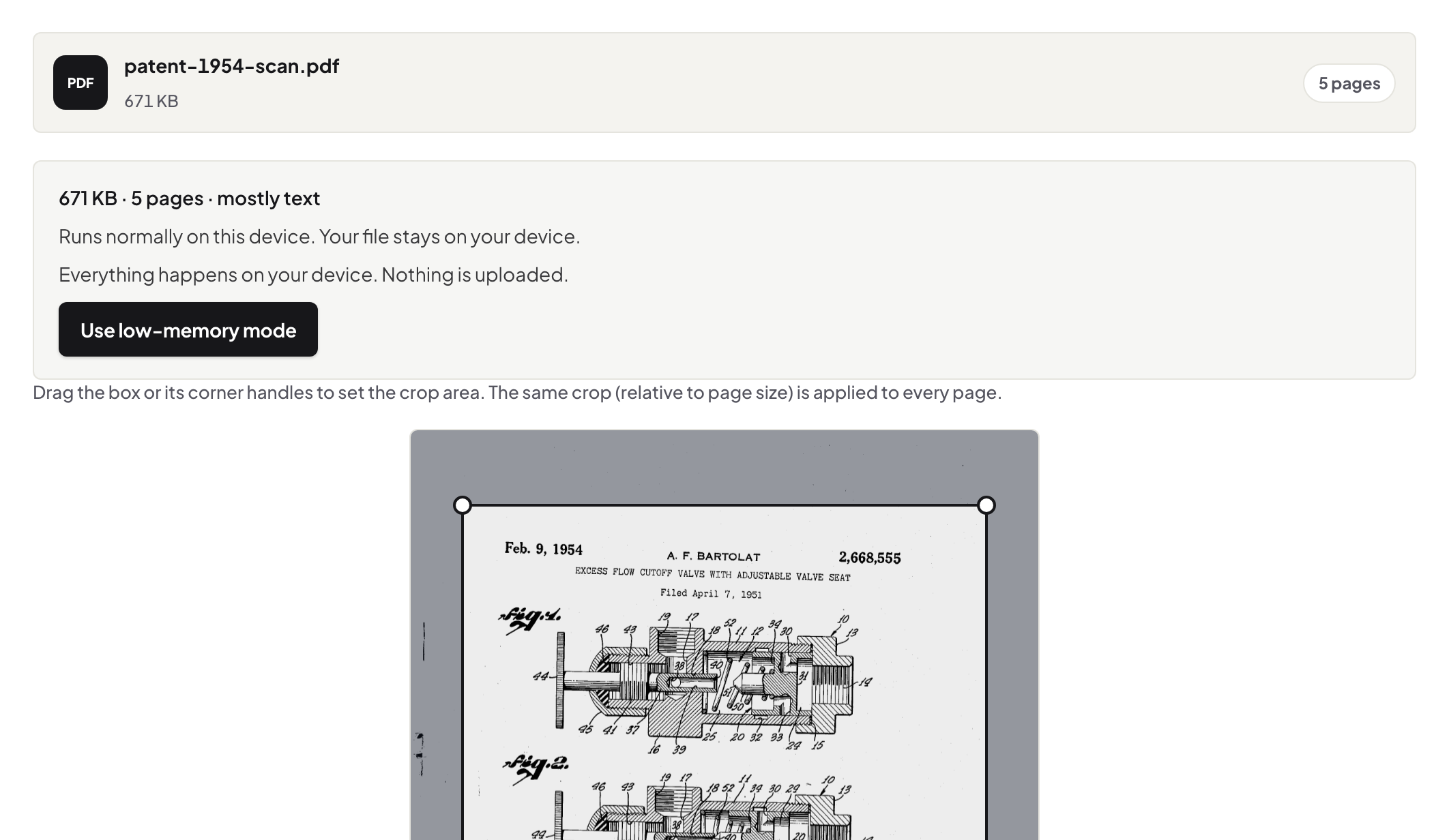
You are moving a boundary, not cutting pixels
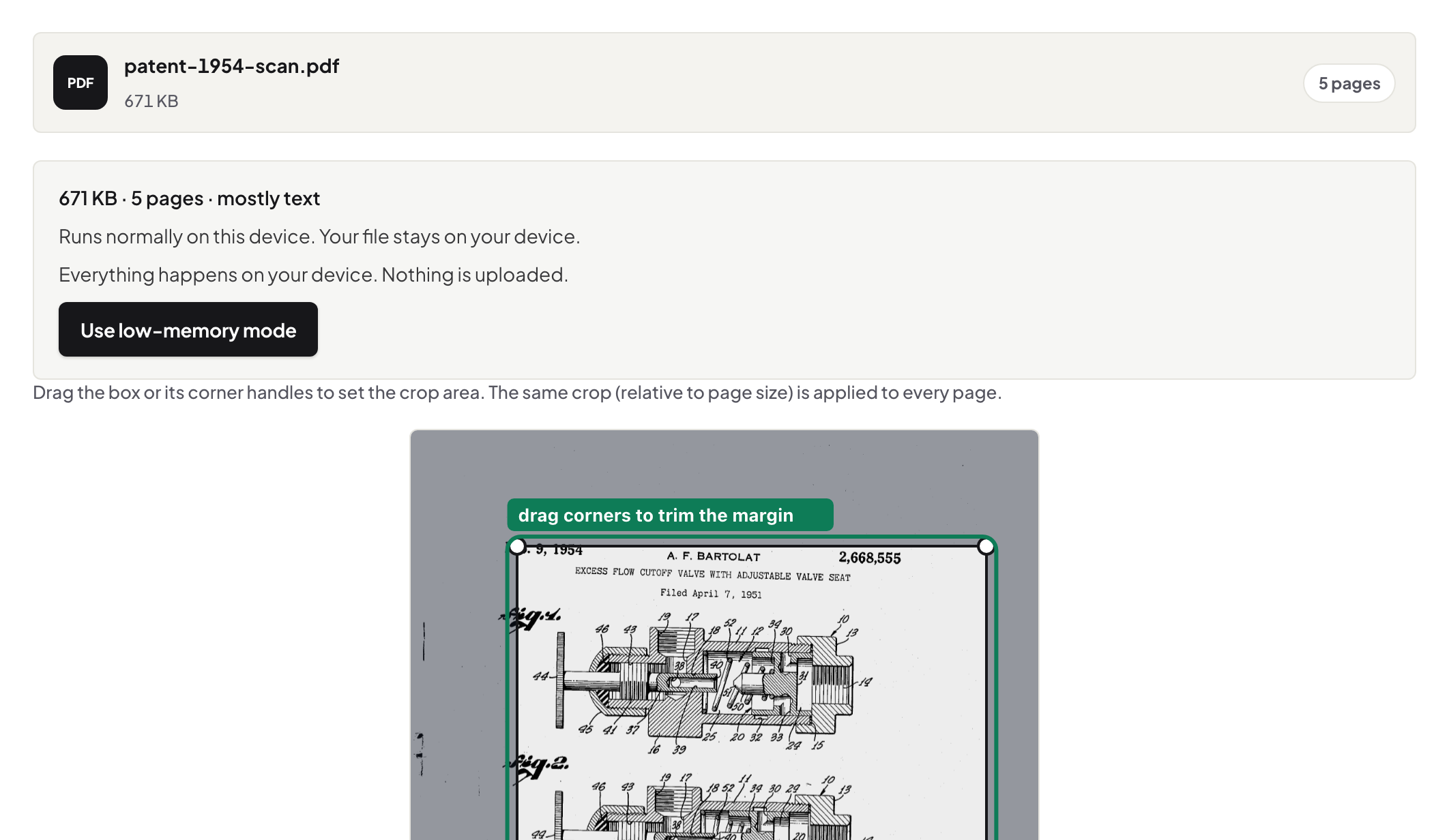
A PDF page carries its content and, separately, a box that tells readers which part of it to display. Crop PDF moves that box. Drag the rectangle over the live preview, and the same area — proportionally — applies to every page. The content is untouched: no rasterising, no recompression, nothing redrawn. If the file opens but the page itself looks wrong before you even get to cropping, start with why a PDF won't open instead.
That is why quality cannot drop
Blur comes from re-rendering: turning a page into an image and back. Since cropping only rewrites the page bounds, the text on the cropped page is the very same text object as before — zoom in on the output and compare; the letterforms are identical. It is also why cropping is instant even on long documents.
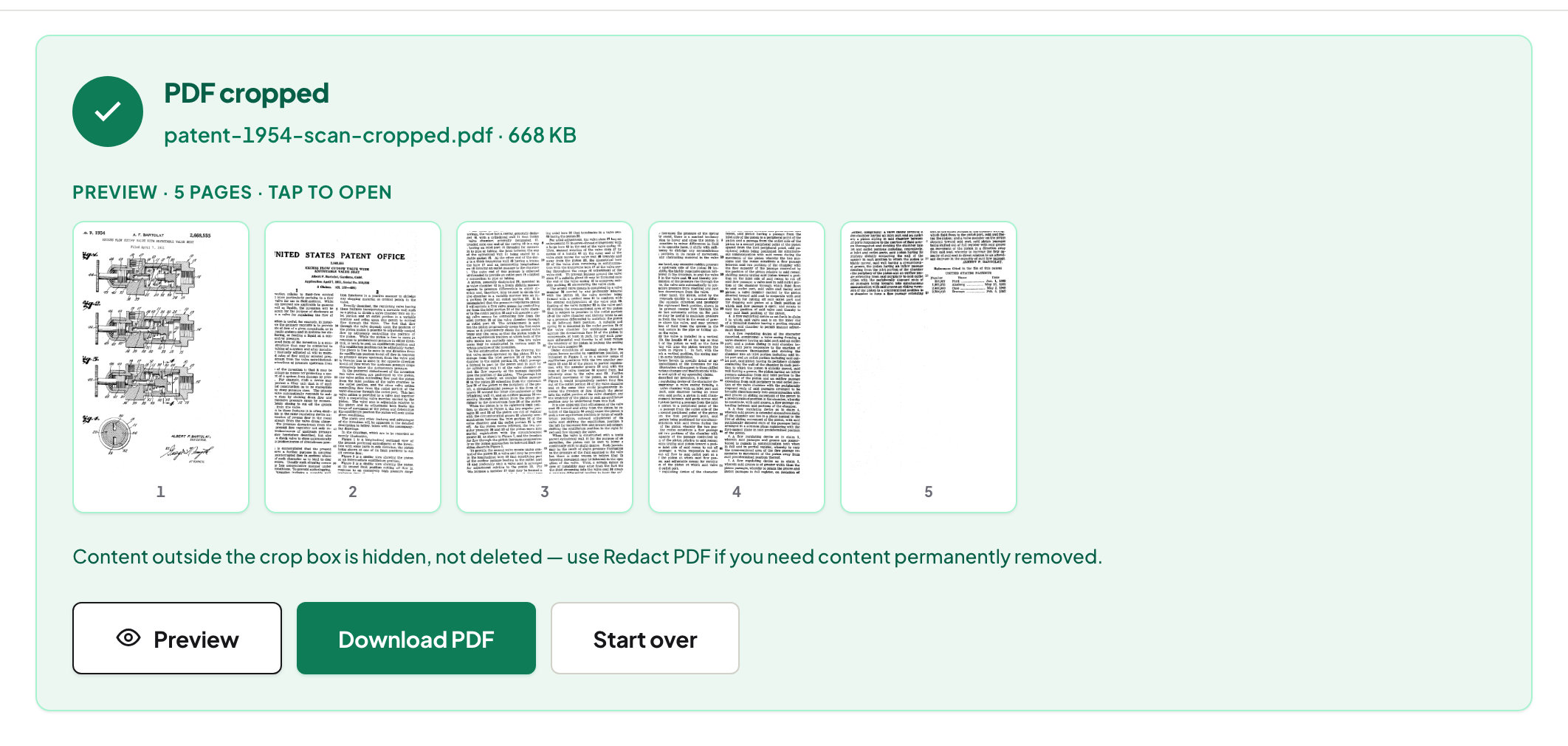
And why the cropped area is hidden, not deleted
The other side of the same coin: content outside the box is still in the file, just not displayed. A reader that resets the crop box can bring it back. Cropping a header with a name on it is a display change, not a removal — if the margin holds something that must genuinely be gone, that is a job for Redact PDF, which deletes content rather than hiding it. This distinction is the single most useful thing to know about cropping.
The two crops people actually do
Scan margins: draw the box just inside the printed area on page one, then check two or three later pages in the preview — a consistent scan crops consistently. Header or footer bands: pull only the top or bottom edge in; the sides stay. For a crooked scan, straighten first with Deskew PDF — cropping a tilted page forces you to choose between cutting text and keeping margin. The full walkthrough, including how to check for uneven scans, is in how to crop a PDF without uploading it.
Mixed page sizes, phones, and printing
Because the crop is proportional, a document that mixes portrait and landscape pages is better handled in two passes: split, crop each group, merge. On a phone, drag the corners with a finger — same page, same behaviour. For printing, a tighter page box means the printer scales the content up: cropping is the cheapest way to make small scanned text print larger.
Frequently asked questions
Does cropping a PDF reduce quality?
No. Cropping changes the page's display box; the content is not re-rendered or recompressed, so text and images keep their exact sharpness.
Is the cropped-off part of the page deleted?
No — it is hidden. A reader that resets the page box can show it again. To remove content permanently, use Redact PDF.
Can I crop every page the same way at once?
Yes. The box you draw is applied proportionally to all pages; check a few later pages in the preview on uneven scans.
Try it yourself
Free, private, no account. Runs entirely in your browser.