One document, several tools, and a receipt for the whole chain
Run a document through several tools in sequence — merge, compress, redact, protect — and get a verifiable record of every step, all in your browser.
UnboundPDF is a free suite of 54 PDF and image tools that run entirely in your browser — merge, split, compress, edit text, OCR in 126 languages, redact, sign, convert and archive to PDF/A. Your document is read and written by the page on your own device; there is no document-upload endpoint in the core tools, no account, no watermark and no daily cap. Every result can be checked — with the Network tab, or with the Document Passport the Workspace writes for a chain of steps.
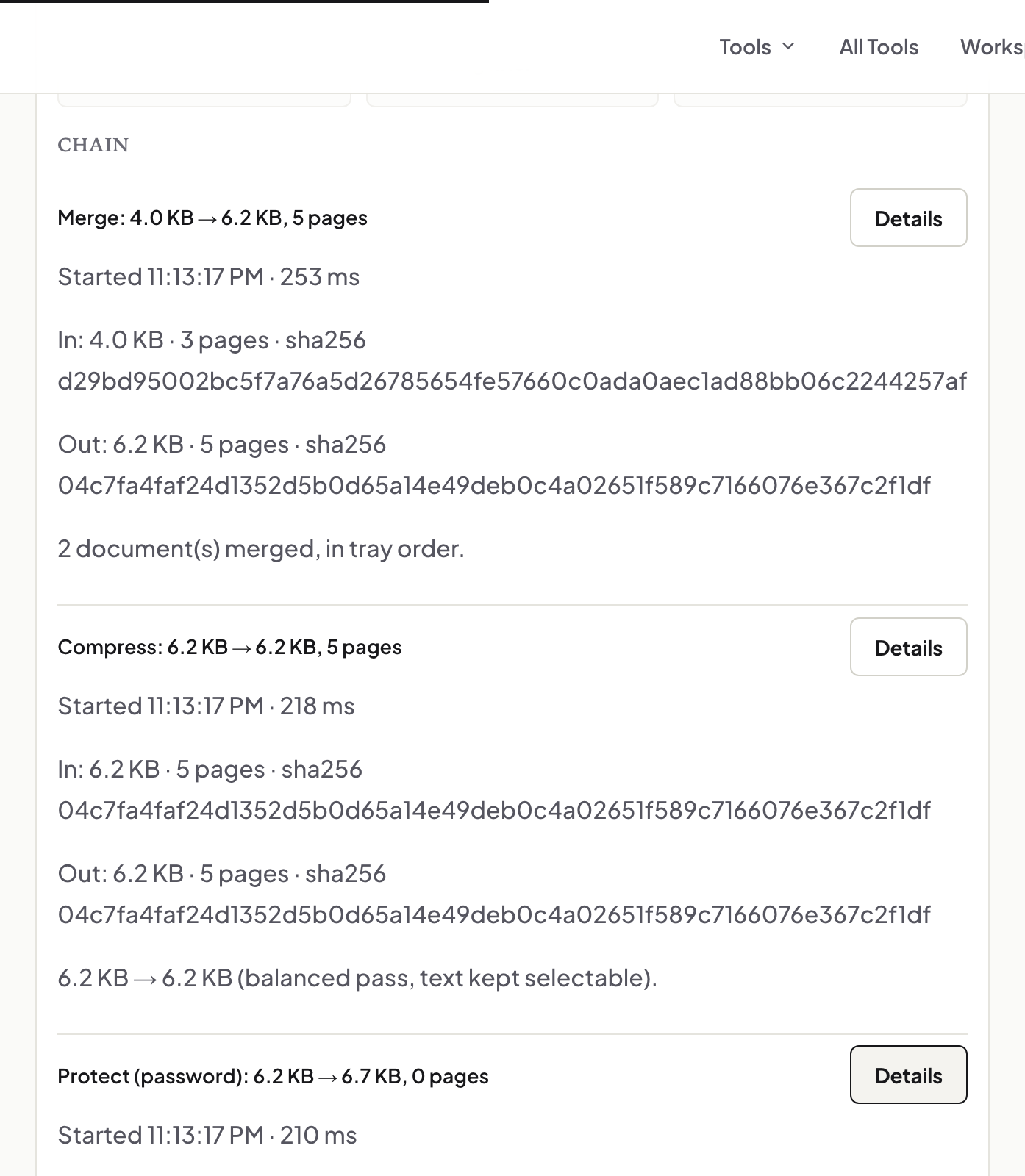
Most PDF jobs are not one tool. The real task is a chain: merge five files, compress the result, black out an account number, put a password on what's left. Doing that with single-purpose tools means downloading and re-uploading the same document four times and, at the end, holding a file with no record of what was done to it. The Workspace is our answer to both halves of that problem — and the second half, the record, is the part you won't find anywhere else.
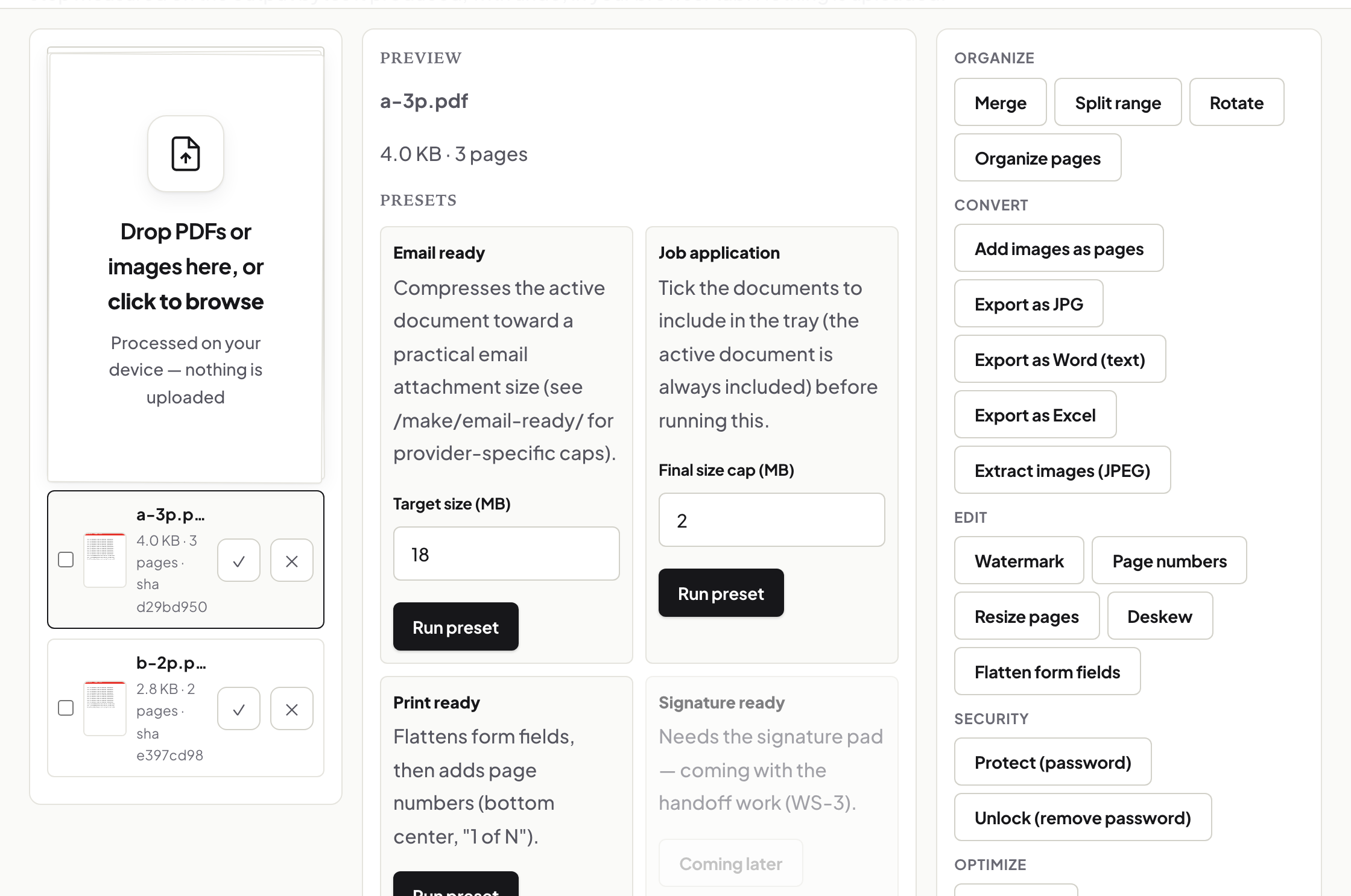
The chain: output becomes input
Load a document once and run it through tools in sequence; each step's output is handed to the next step directly, in memory. The steps are the same engines the individual tool pages use — a compress in the Workspace behaves exactly like Compress PDF on its own page, because it is the same code. Every step reports what it did, and you can pull any intermediate result out of the chain, not just the final file.
The passport: a receipt you can check
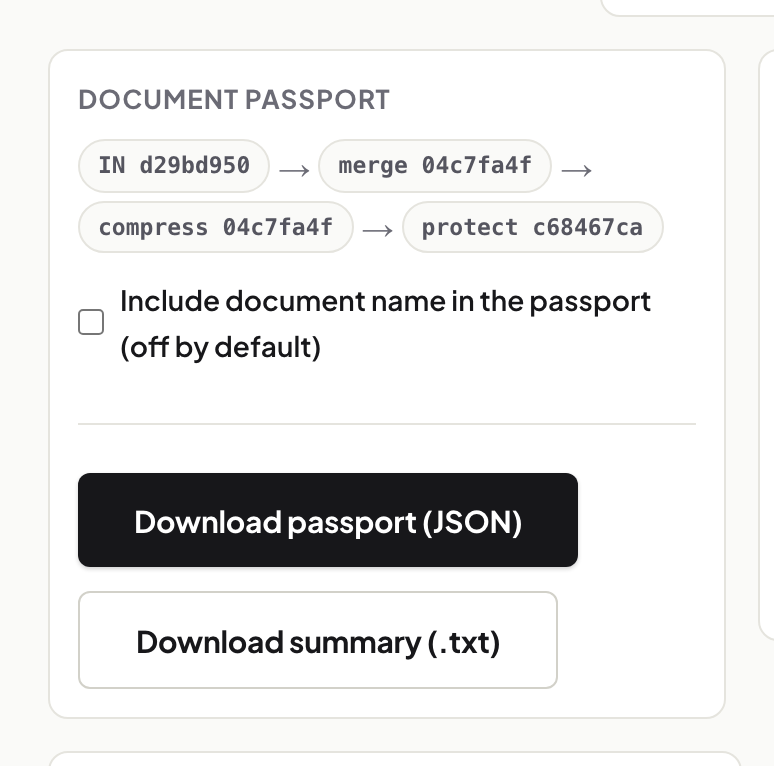
Alongside the final file, the Workspace writes a Document Passport: the fingerprint (SHA-256 hash) of the file you started with, one entry per step recording the tool, its settings, and the fingerprint of that step's output, and a chain hash computed over all of them. It is a small JSON file, downloadable next to your document, and it makes a specific claim: this exact input went through exactly these steps and produced this exact output.
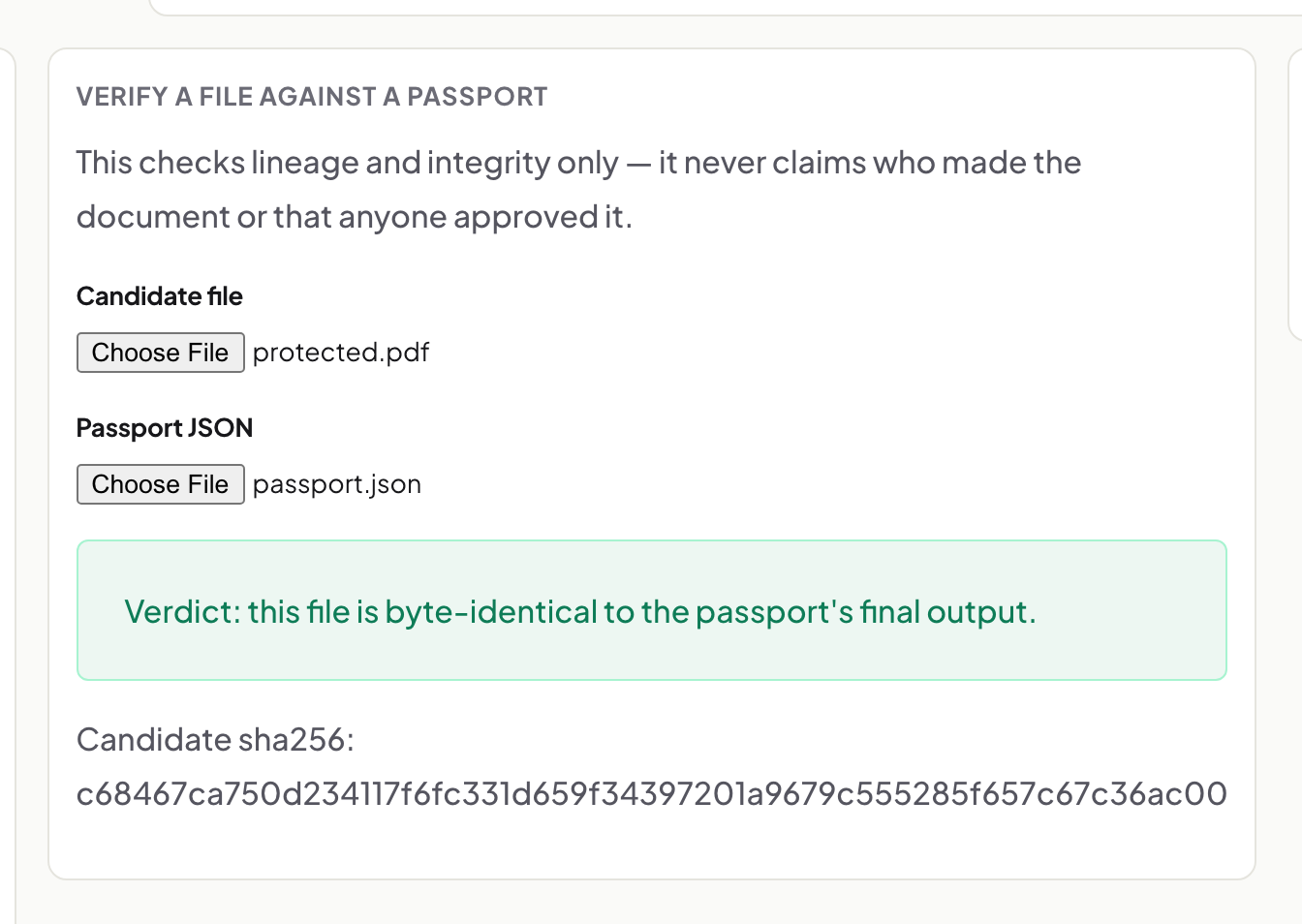
Claims are cheap, so there is a verifier. Drop a passport and the final file into it and it recomputes everything — the file's hash, each link in the chain, the chain hash — and tells you whether they hold. A forged or edited passport fails; a swapped file fails. One limit: the passport proves the integrity of the steps it records, not that no earlier history existed before its first entry.
Recipes: the chain, reusable
A chain you'll run again — the monthly "merge, number, compress" on your invoices — saves as a recipe and replays on the next batch of files. One thing recipes deliberately refuse to store: passwords. Save a chain that includes Protect and the recipe keeps the step but not the secret; it asks for a fresh password every run. A convenience feature that quietly wrote your password to disk would not be a convenience.
Where all this runs
In your browser, like every tool on this site. The document, the intermediate results, the passport, the hashes — all computed on your machine; nothing is uploaded anywhere. That is also why the passport matters: when no server ever saw your file, the proof of what happened to it has to travel with the file itself. Now it does.
Frequently asked questions
Is the Workspace a different set of tools?
No — it chains the same engines the individual tool pages use. A step behaves identically to running that tool on its own page.
What does the Document Passport actually prove?
That the recorded input, steps, and output belong together — every hash and the chain hash recompute correctly. It proves the integrity of the recorded steps, not that nothing happened before its first entry.
Do recipes store my password?
No. Steps like Protect are saved without their secret and ask for the password fresh on every run. Secrets are never written to a recipe, the passport, or browser storage.
Try it yourself
Free, private, no account. Runs entirely in your browser.
Related articles

Inside a PDF repair: four strategies, and which one worked
Why a PDF gets huge, and what compression really does about it
Merging PDFs properly: order, size, what survives, and what to check
Signing a PDF in your browser: the three signature methods and what each one is
Invoices in, one numbered bundle out: a monthly routine that takes ten minutes
Choosing a free PDF editor when the document must stay on your machine
Archiving a PDF properly: PDF/A-2b, explained without the standard's jargon